Firecrawl Alternative: When URL-to-Markdown Is Enough
Prometheus by Firecrawl hit #3 on Product Hunt this morning — a "forward deployed agent for web data" — and every AI team's group chat lit up with the same question: should we rebuild our pipeline on top of it? Before wiring a crawling agent into your stack, ask the cheaper question first: for the job in front of you, do you actually need to crawl anything?
A lot of "web data" tasks aren't crawls at all. You already have the URL. You need that one page as clean Markdown for an LLM, as JSON for a spreadsheet, or as a research note in your vault. That is where a Firecrawl alternative built for single-page extraction finishes the job in about two seconds — no API key, no schema, no agent loop. This guide draws the line: when a full crawling/agent pipeline earns its cost, and when simple URL-to-Markdown extraction is enough.
Last updated: 2026-06-14.
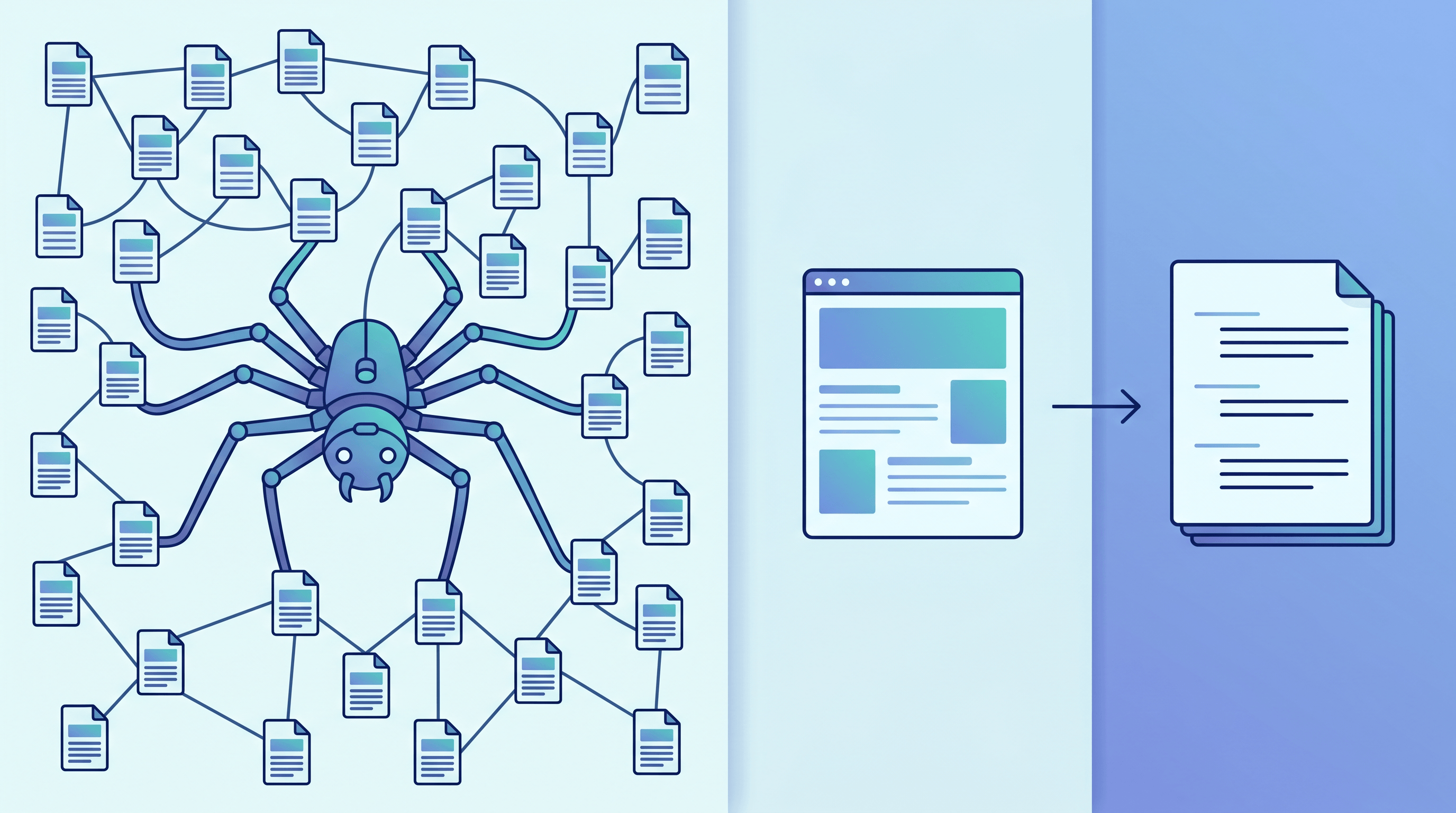
Table of Contents
- What Is Firecrawl, and What Is a Web Data Agent?
- Crawling Agent vs Single-Page Extraction: Where the Line Is
- Top Firecrawl Alternatives Compared
- Feature Comparison Table
- How to Choose the Right Firecrawl Alternative
- How to Convert a URL to Markdown or JSON Without a Crawler
- FAQ
What Is Firecrawl, and What Is a Web Data Agent?
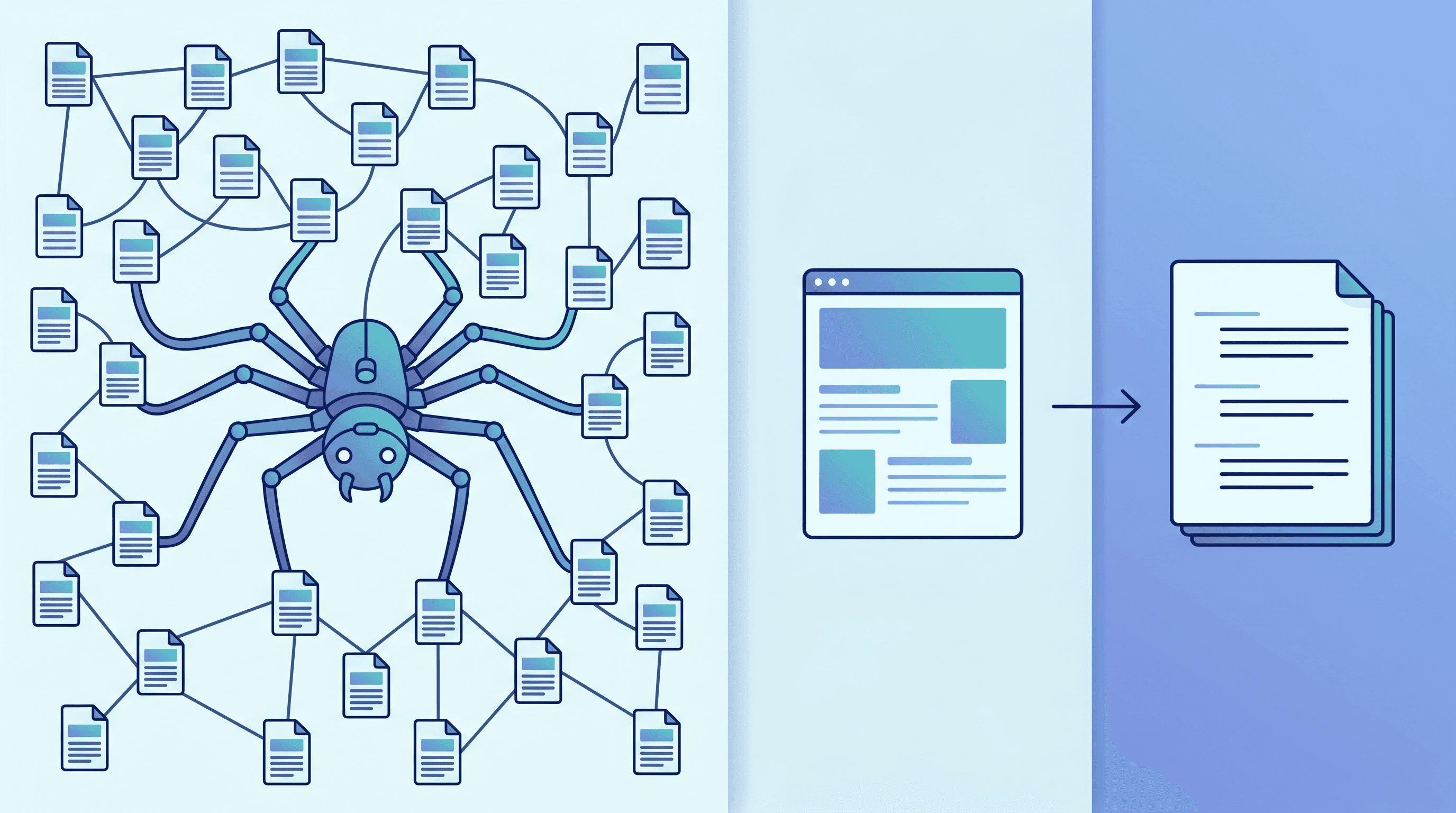
Firecrawl is an API that turns websites into LLM-ready data: scrape a single page, crawl a whole site, map every URL, or extract structured fields with a schema. Prometheus, its new forward-deployed agent, plans and runs those steps autonomously. Both sit at the "pipeline" end of web data; single-page converters sit at the other.
In practice, Firecrawl exposes a small set of jobs:
- Scrape — fetch one page and return clean Markdown, HTML, or structured data.
- Crawl — follow links across a whole domain and return every page.
- Map — list all the URLs on a site without fetching content.
- Extract — use an LLM plus a schema (or prompt) to pull structured fields across many pages.
Firecrawl is open source, self-hostable, and strong where it matters most: JavaScript-heavy pages, anti-bot defenses, and large multi-page jobs. Prometheus, which launched on Product Hunt on June 14, 2026, pushes that further — instead of you calling endpoints, an agent decides which pages to visit and what to extract. That is genuinely useful for open-ended "go find this data across the web" tasks.
The catch is that all of this is a pipeline. You sign up, get an API key, learn the endpoints (or the agent's interface), and pay per credit. For a whole-site crawl or scheduled extraction, that overhead pays for itself. For "read this one page," it is a lot of machinery for a small job — which is exactly where a lighter Firecrawl alternative fits.
Crawling Agent vs Single-Page Extraction: Where the Line Is
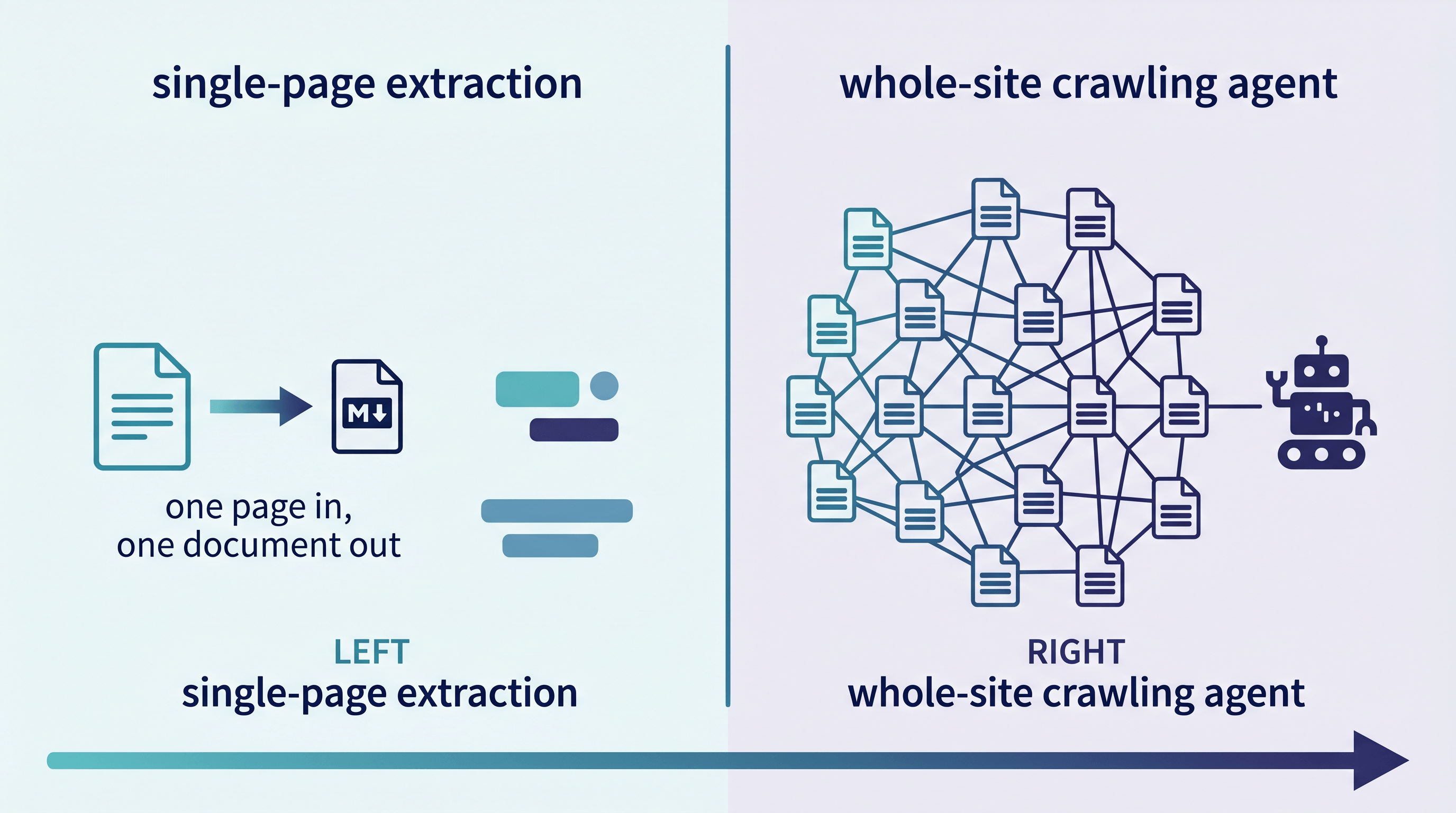
The line is simple: if you already have the URL and you want the content of that page, you need single-page extraction. If you need to discover pages, follow links, or extract the same schema across hundreds of URLs, you need a crawling agent. Most LLM and research tasks are the former.
| Question | Crawling agent (Firecrawl / Prometheus) | Single-page extraction |
|---|---|---|
| What you have | A seed domain or a vague goal | The exact URL(s) already |
| What you want | Discover + extract across many pages | The content of pages you point at |
| Output shape | A dataset / structured records at scale | One clean Markdown or JSON document |
| Typical volume | Hundreds to millions of pages | One to a few dozen pages |
| Setup | API key, schema, credits, sometimes an agent prompt | Paste a URL, or one API call |
| Best fit | Site crawls, monitoring, schema extraction | LLM context, research notes, data tidying |
A useful gut check: if you can name the URLs you want, you almost certainly do not need a crawl. If you can only name the site and have to go find the right pages, that is when the agent pipeline earns its keep.
Top Firecrawl Alternatives Compared
The best Firecrawl alternative depends on whether your task is a crawl or a single read. Below are five options across the spectrum — from heavy scraping infrastructure to a free single-page converter — each with where it shines and where it does not.
1. Firecrawl + Prometheus (the baseline). The reference for agentic, schema-driven web data at scale.
- Best for: Whole-site crawls, structured extraction across many pages, JS-heavy and anti-bot sites, agentic "find this across the web" tasks.
- Not ideal for: One-off single-page conversions, cost-sensitive ad-hoc work, anyone who wants zero setup. You pay in credits and integration time for capability you may not use.
2. Jina Reader (r.jina.ai). Prepend r.jina.ai/ to a URL and get LLM-ready Markdown back.
- Best for: Quick single-page Markdown inside scripts and agents, generous free usage, dead-simple integration.
- Not ideal for: Whole-site crawling, format variety beyond Markdown, or built-in structured-field extraction.
3. URL to Any (urltoany.com). A free browser tool that converts a single URL to Markdown, JSON, Text, HTML, XML, PDF, image, or MP3, plus an AI Summarizer and meta-tag extractor.
- Best for: Pasting a URL and getting clean Markdown or JSON in about two seconds, no signup, multiple output formats from one page, feeding an LLM or a research note.
- Not ideal for: Crawling an entire site, scheduled monitoring jobs, or extracting one schema across thousands of pages — it is built for pages you already have, not site-wide discovery.
4. DIY local (markitdown, Trafilatura, Pandoc, readability). Open-source libraries you run yourself.
- Best for: Full control, no per-request cost, offline and batch pipelines, privacy-sensitive content.
- Not ideal for: JavaScript-rendered pages and anti-bot sites — you have to add a headless browser and proxies yourself, which is most of what you were paying Firecrawl to handle.
5. Apify / ScrapingBee / Bright Data. Scraping infrastructure with proxies and scale.
- Best for: Large, hostile, high-volume crawls; rotating proxies; enterprise scraping with SLAs.
- Not ideal for: Simple "URL to Markdown for my LLM" tasks — it is more infrastructure (and cost) than a single read requires.
In our testing across blog posts, docs pages, and product pages, the single-page tools (Jina Reader, URL to Any) returned clean Markdown faster and with far less setup than standing up a crawl — while Firecrawl and Apify were clearly worth it the moment the job became "every page on this site."
Feature Comparison Table
This table maps each Firecrawl alternative to the capabilities that decide the choice. Single-page tools win on speed and zero setup; crawling platforms win on site-wide discovery and scale.
| Tool | Whole-site crawl | Single page → MD/JSON | Schema extraction | JS render / anti-bot | API key + signup | Free tier | Best for |
|---|---|---|---|---|---|---|---|
| Firecrawl + Prometheus | Yes | Yes | Yes | Yes | Required | Limited credits | Site crawls, agentic extraction |
| Jina Reader | No | Markdown only | No | Partial | Optional | Generous | Quick MD in scripts |
| URL to Any | No | Yes (10+ formats) | JSON output | Yes | None | Free, no signup | Single-page, multi-format |
| DIY local libs | Build it | Yes | Build it | You add it | None | Free (self-host) | Offline / private batch |
| Apify / ScrapingBee | Yes | Yes | Add-on | Yes | Required | Trial credits | High-volume scraping |
Capabilities shift as products ship — Prometheus is days old at the time of writing — so confirm current limits before you commit. The structural point holds: pick by job shape, not by brand.
How to Choose the Right Firecrawl Alternative
Choose by the shape of your task, not by the most powerful tool available. If you can list the URLs you need, a single-page converter is faster and cheaper. If you have to discover pages or extract a schema at scale, a crawling agent like Firecrawl or Prometheus is the right call.
- "I need to feed one page to an LLM." Use a single-page converter — URL to Markdown or Jina Reader. A crawler is overkill. (For the cost math on why clean Markdown beats screenshots, see our URL to Markdown vs Computer Use breakdown.)
- "I'm building a research brief from a dozen known URLs." Single-page extraction, batched. Convert each to Markdown, drop into your prompt or notes. No crawl needed.
- "I need an entire docs site, or to discover every URL." This is a crawl. Use Firecrawl
/crawlor/map, or let Prometheus plan it. - "I need the same structured fields across thousands of pages." Schema extraction at scale — Firecrawl
/extract, Prometheus, or Apify. - "I'm cost-sensitive and the work is ad-hoc." A free, no-signup tool wins. You can always escalate to a pipeline when volume justifies it.
A practical pattern is hybrid: use Firecrawl or Prometheus for the discovery-heavy part, then hand the resulting URLs to a fast single-page converter for the routine reads. Pay for the crawl only where you genuinely crawl.
How to Convert a URL to Markdown or JSON Without a Crawler
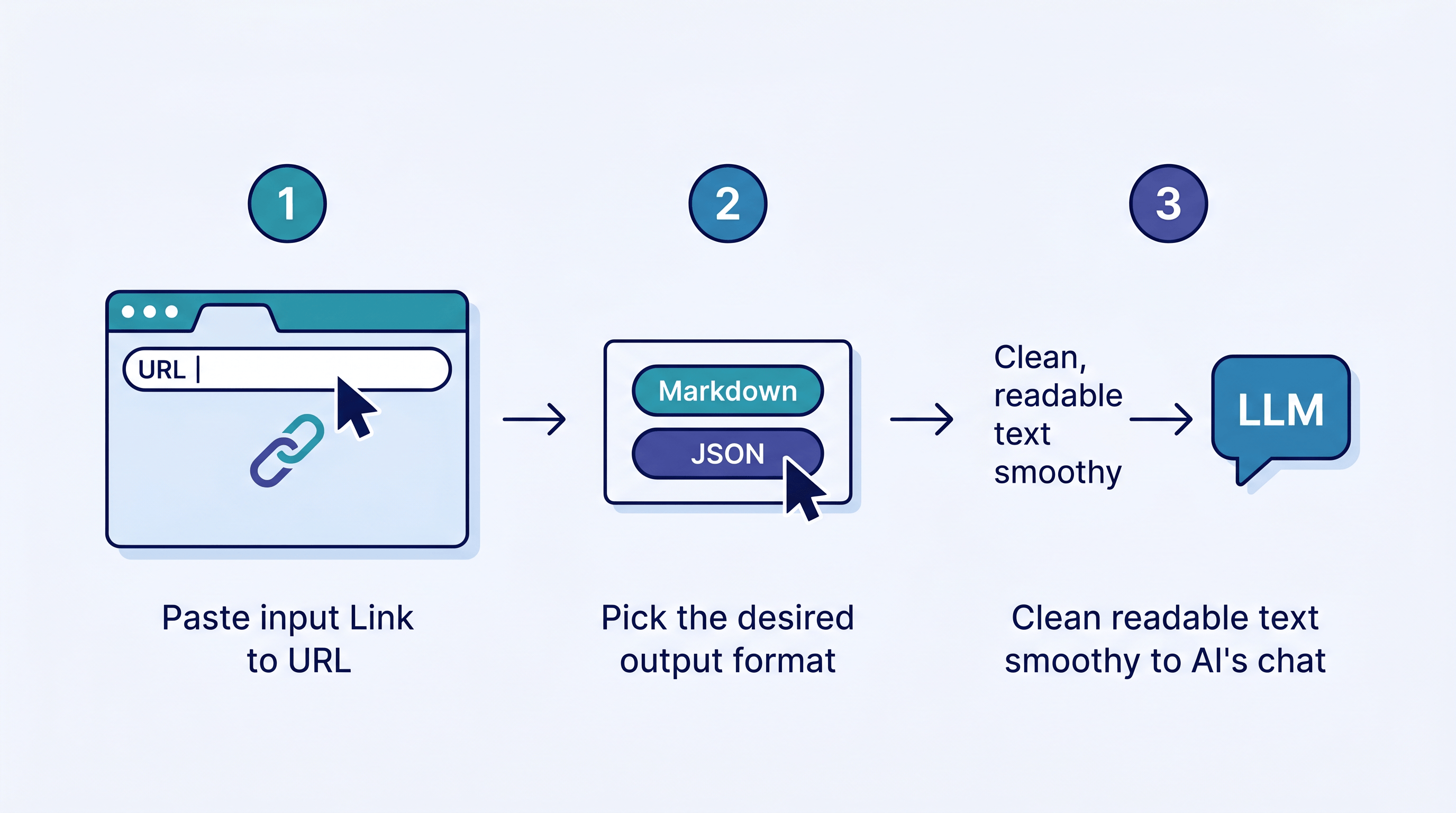
Converting a single page does not require a pipeline. Paste the URL into a converter, pick your format, and copy the result — clean, LLM-ready text in about two seconds. Here is the fastest path with URL to Any.
- Copy the page URL you want — a docs page, a blog post, a product page.
- Open URL to Any and paste the URL into the converter. No signup or API key.
- Pick your output. Choose Markdown for LLM context and notes, or JSON when you need structured fields for a spreadsheet or app. The conversion runs in about two seconds.
- Copy the result straight into your Claude or GPT prompt, your RAG index, or your Obsidian vault. For a long page, run it through the AI Summarizer first to shrink the token count.
- Repeat for each known URL. For a handful of pages, this is faster end to end than configuring a crawl — and it costs nothing.
If you are wiring this into an agent, the same single-page idea applies: fetch the page, convert to Markdown, then reason over text instead of pixels. For the full agent integration pattern, see our guide on URL to Markdown for LLMs.
FAQ
What is the best free Firecrawl alternative?
For single-page extraction, the best free Firecrawl alternatives are URL to Any (free, no signup, 10+ output formats including Markdown and JSON) and Jina Reader (free Markdown by prepending r.jina.ai/ to a URL). Neither crawls whole sites, but for "convert this page for my LLM," they finish in seconds with zero setup. For true site-wide crawling on a budget, Firecrawl's own free credit tier or a self-hosted open-source library is the closer match.
Do I need Firecrawl just to convert a URL to Markdown?
No. Converting a single URL to Markdown is a one-step job that a free web tool or a single API call handles instantly. Firecrawl shines when you need to crawl an entire site, render heavy JavaScript at scale, or extract a schema across many pages. If you already have the URL and want its content, a lightweight Firecrawl alternative is faster and cheaper.
When is Firecrawl or Prometheus actually worth it?
When the task is genuinely a crawl or an agentic search: discovering URLs across a domain, following links, extracting the same structured fields from hundreds or thousands of pages, or handling aggressive anti-bot defenses. Prometheus adds value when the goal is open-ended — "find this data across the web" — and you want an agent to plan the steps rather than calling endpoints yourself.
Can I get structured JSON without a crawling agent?
Yes. Single-page converters can return JSON for a page you point at — URL to Any offers a URL to JSON output directly. You only need an agent's schema-extraction feature when you want the same structured shape pulled consistently across many different pages at scale.
Is URL to Any an alternative to Firecrawl?
For single-page extraction, yes. URL to Any converts a URL to Markdown, JSON, Text, PDF, and more in about two seconds with no signup, which covers the most common "read this page for my LLM or research" use case. It is not a replacement for Firecrawl's whole-site crawling, scheduled jobs, or large-scale schema extraction — those remain pipeline tasks.
How is single-page extraction different from web scraping?
Single-page extraction reads one page you already have and returns its clean content. Web scraping (and crawling) discovers and collects data across many pages, often with link-following, pagination, proxies, and schemas. Extraction is a read; scraping is a pipeline. Matching the tool to which one you actually need is the whole decision.
Conclusion
Prometheus and Firecrawl are powerful when the job is a real crawl — discovery, scale, schemas, and hostile sites. But a large share of "web data" work is just "read this page": feed one URL to an LLM, save an article as Markdown, pull JSON for a sheet. For those, the right Firecrawl alternative is a single-page converter that finishes in seconds with no setup. Pick by job shape: crawl when you must discover, convert when you already have the URL.
Already have the URL? Skip the pipeline. Try URL to Any free → — convert any page to Markdown, JSON, Text, PDF, and more in about two seconds, no signup required.