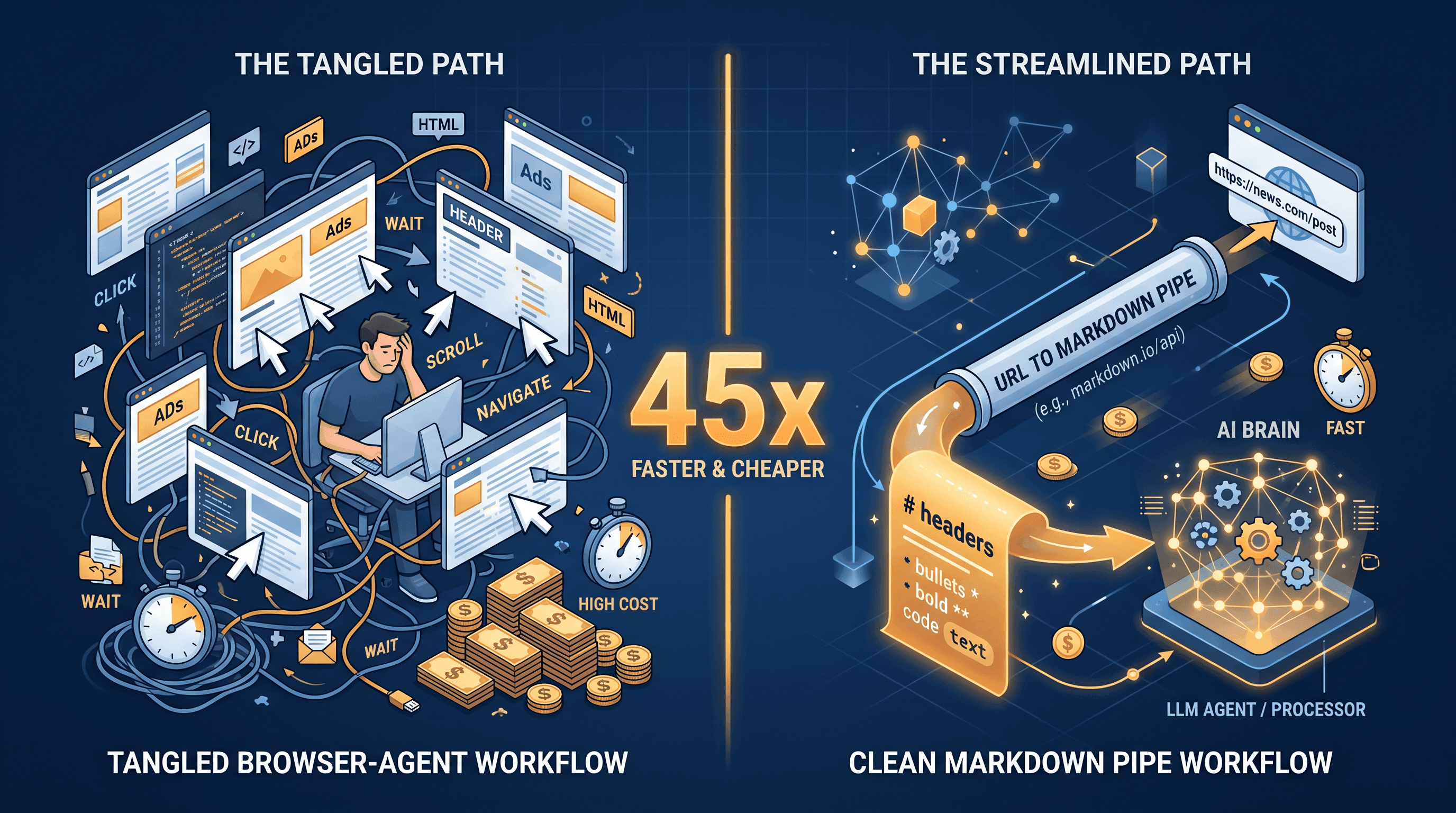
URL to Markdown for AI Agents: 45x Cheaper Than Computer Use
If you ship AI agents, you probably saw the number this morning: a Reflex.dev writeup measured Computer Use at roughly 45x more expensive than calling a structured API to do the same job — read a web page and answer a question about it. That ratio comes from screenshots, vision tokens, and multi-turn reasoning piling up; the structured-API path streams Markdown straight into the model and stops.
This guide is the developer-side translation. It compares the two paths on cost, latency, and reliability, shows the small set of cases where Computer Use is still worth it, and walks through a working pattern that converts any URL to clean Markdown for AI agents — the cheapest context layer you can ship today.
Last updated: 2026-05-06.
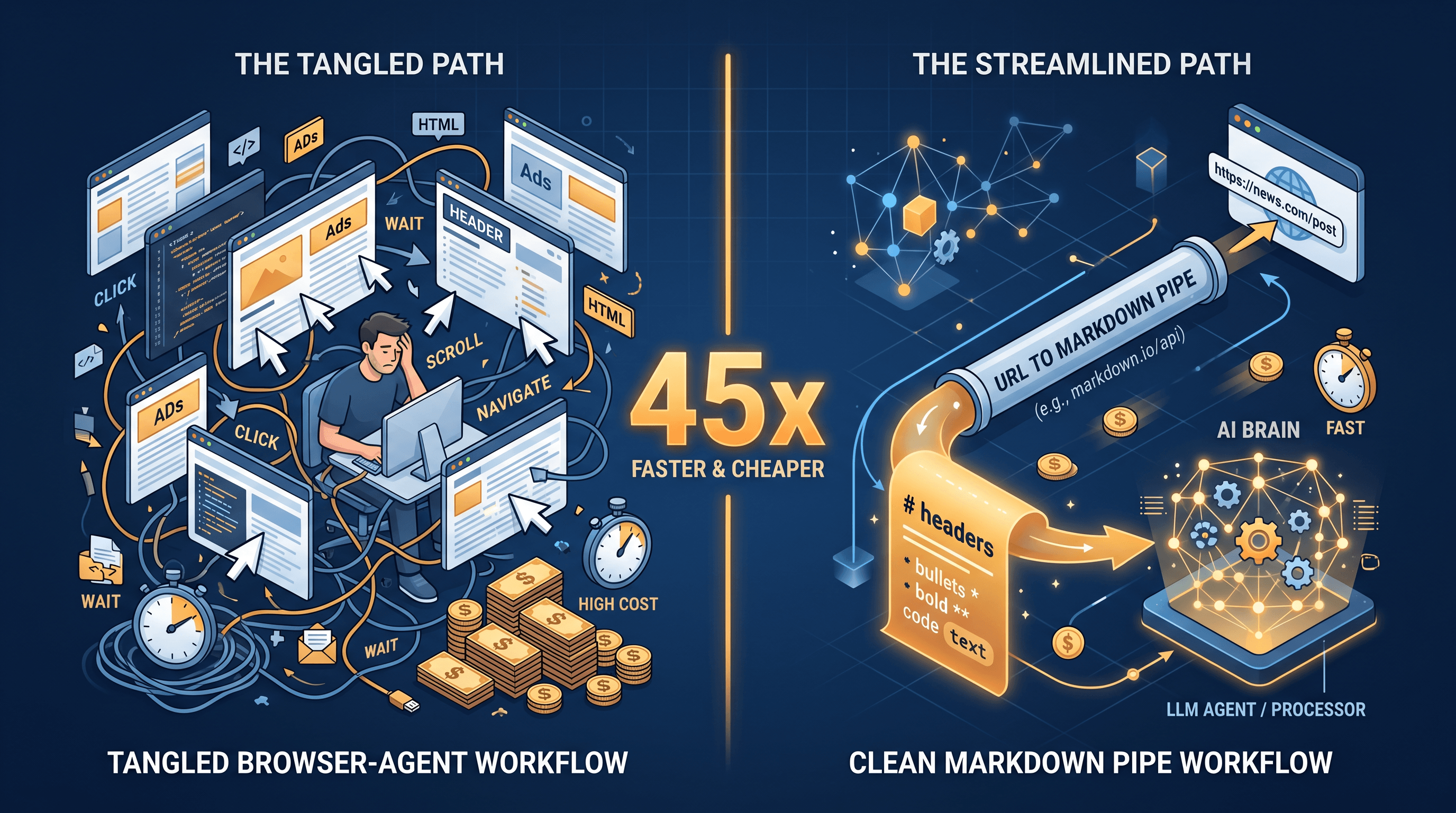
Table of Contents
- The 45x Number, Where It Comes From
- Computer Use: Why It's Expensive
- Structured API Path: URL to Markdown / JSON / Summary
- Computer Use vs Structured API — Side-by-Side
- When Computer Use Is Still the Right Call
- Demo: URL to Markdown for AI Agents in 30 Lines
- Pro Tips for Cheaper Agent Context
- FAQ
The 45x Number, Where It Comes From
Quick summary so you don't have to dig through the source: when Reflex ran the same "read a web page, return a structured answer" task on Computer Use vs a plain HTTP fetch plus structured-output call, the Computer Use run cost about 45x more in tokens. Most of the gap was vision tokens (each screenshot is roughly 1,000-1,500 tokens on Claude's vision pricing) plus multi-turn reasoning before each click. According to Reflex.dev's writeup, the cost ratio held across product pages, blog posts, and search results — not a one-off benchmark quirk.
The takeaway isn't "never use Computer Use." It's that the default should be a structured-API path: URL → Markdown / JSON / summary → model. Computer Use is the fallback you reach for when there's no other way in.
Computer Use: Why It's Expensive
Computer Use turns the agent into a visual user. Each step roughly costs:
- One or more screenshots. A 1280×800 screenshot lands around 1,000-1,500 vision tokens on Claude's pricing.
- A planning turn to decide where to click and an action turn to emit the tool call.
- A re-screenshot after the click to confirm what happened.
A "scroll, dismiss cookie banner, scroll, find price" loop can take 6-10 turns before any answer comes back. With 1k+ vision tokens per turn plus reasoning text, you land at 10-20k input tokens per page on a good day. On a bad day — pop-ups, infinite scroll, anti-bot challenges — that's 3-5x more.
Three structural reasons it stays expensive:
- Vision tokens don't compress. Markdown gets cheaper with prompt caching; screenshots are run-specific and don't share state.
- Each click is a round trip. Latency scales with UI actions, not with the amount of information you're after.
- Failure modes are silent. A misclick still costs you a turn, and recovery loops can spiral fast.

Structured API Path: URL to Markdown / JSON / Summary
The structured-API path skips the browser entirely for tasks that only need page content. The shape:
- Fetch the URL. A normal HTTP call, or a headless renderer if the page needs JS.
- Extract clean content. Strip nav, ads, footers; convert the article body to Markdown, structured JSON, or a one-paragraph summary.
- Hand the cleaned context to the LLM. The model now reads text, not pixels.
A 3,000-word article shrinks to roughly 3,500 tokens of clean Markdown. The same article through a Computer Use loop is closer to 60,000 tokens once you count screenshots and action turns. That gap is the 45x ratio in practice. URL to Markdown for AI agents is the single biggest cost lever you have on any read-heavy workflow.
URL to Any's URL to Markdown, URL to JSON, and AI Summarizer tools all live on this path — paste a URL and get LLM-ready text in about 2 seconds, or call the same endpoints from agent code.
Computer Use vs Structured API — Side-by-Side
| Dimension | Computer Use | Structured API (URL → Markdown / JSON) |
|---|---|---|
| Cost per page | ~$0.04-0.20 (vision-heavy turns) | ~$0.001-0.005 (text-only) |
| Latency | 10-30s per page (multi-turn loop) | 1-3s per page |
| Token shape | Vision + reasoning + action loop | Text in, text out |
| Reliability | Fragile — DOM/UI changes break flows | Stable — extracts the article body |
| Prompt caching | Hard; screenshots are run-specific | Easy; cache Markdown per URL |
| Best for | Logged-in flows, real UI tasks, true SPAs | Articles, docs, blog posts, search results |
| Not ideal for | High-volume read tasks, RAG ingestion | Sites that hide content behind auth or interaction |
Numbers are order-of-magnitude rather than benchmark-grade — pricing varies by model and provider — but the ratio matches what Reflex measured: roughly 45x in favor of the structured path on standard read tasks.
When Computer Use Is Still the Right Call
Three cases where structured APIs aren't enough:
- Logged-in content. If the data lives behind a session — your own dashboard, a private tool — Computer Use can drive the browser; a URL fetcher can't.
- Genuinely interactive flows. Booking a hotel, completing a multi-step form, dragging a slider on a calculator. The task itself is the UI.
- Visual judgment. "Does this landing page look professional?" or "Is this chart trending up?" need pixels, not Markdown.
For everything else — reading a docs page, comparing product specs, ingesting a blog into RAG, monitoring a competitor's pricing page — the structured API path wins on cost, latency, and reliability. Even within the cases above, a hybrid is often cheapest: log in once with Computer Use, capture the post-auth URL, then switch to a URL-to-Markdown call for every subsequent page in the session.
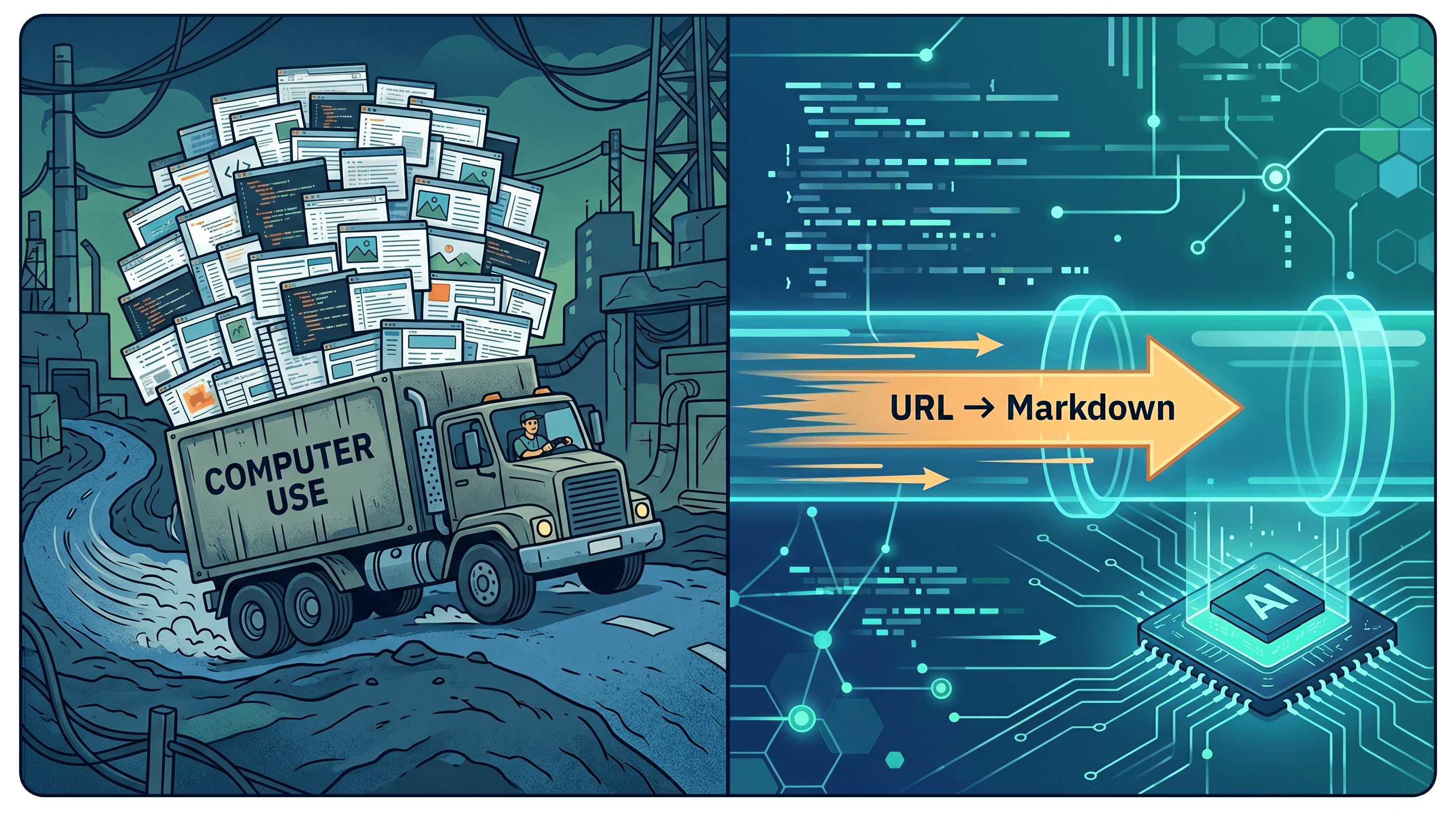
Demo: URL to Markdown for AI Agents in 30 Lines
A minimal pattern: convert any URL to clean Markdown, then ask Claude a question about it.
import Anthropic from "@anthropic-ai/sdk"

const URL_TO_ANY_API = "https://api.urltoany.com/v1/url-to-markdown"
const client = new Anthropic()

async function answerFromUrl(url: string, question: string) {
  // 1. URL → Markdown (the cheap part)
  const res = await fetch(URL_TO_ANY_API, {
    method: "POST",
    headers: { "Content-Type": "application/json" },
    body: JSON.stringify({ url }),
  })
  const { markdown } = await res.json()

  // 2. Markdown + question → answer
  const reply = await client.messages.create({
    model: "claude-opus-4-7",
    max_tokens: 1024,
    messages: [
      {
        role: "user",
        content: `Source (Markdown):\n\n${markdown}\n\nQuestion: ${question}`,
      },
    ],
  })

  return reply.content[0].type === "text" ? reply.content[0].text : ""
}
That call typically lands at 3-5k input tokens for a long article and returns end-to-end in 2-4 seconds. Computer Use doing the same task — open browser, screenshot, scroll, screenshot, summarize — would be in the 30k+ token, 20+ second range.
For batch ingestion (RAG, daily monitors), wrap it in a queue and cache Markdown by URL hash. Re-fetch only when content changes. To try the same flow interactively before wiring it up, paste a URL into URL to Any's URL to Markdown tool, copy the output, and drop it into your prompt — it's the fastest way to confirm the page extracts cleanly.
Pro Tips for Cheaper Agent Context
- Cache aggressively. Markdown text caches cleanly across runs and providers. Screenshots don't.
- Strip before you embed. Run the Markdown through a meta extractor or summarizer before storing — RAG cost is roughly linear in stored tokens.
- Pick the right output format. Markdown for reading; JSON for structured fields; AI summary for "give me the gist."
- Batch where possible. Many structured-API tools accept arrays of URLs; Computer Use rarely parallelizes well.
- Reach for Computer Use last. Build a fallback pipeline: try fetch + extract first, only escalate to a real browser when extraction returns empty or auth-walled.
FAQ
Why is Markdown better than HTML for LLMs?
Markdown removes the noise. A typical web page is 80-90% nav, ads, scripts, and styling, with the article buried inside. LLMs spend tokens parsing all of that before reaching the content. Clean Markdown drops directly into a prompt, preserves headings and lists, and is roughly 60-80% smaller than the source HTML — which means cheaper and more accurate answers.
How do I handle JS-rendered content without Computer Use?
Use a headless renderer plus an extractor. Most URL-to-Markdown services (including URL to Any) run a real browser engine under the hood, wait for the page to settle, then extract the article body. You get the JS-rendered HTML without paying for screenshots or multi-turn reasoning.
What about scraping at scale — say, 10,000 URLs?
Batch through a structured-API path. At 3-5k tokens of Markdown per page and ~1-2 seconds per fetch, 10,000 URLs is a few cents per page in extraction plus whatever your LLM step costs. The same job through Computer Use would cost orders of magnitude more and take a working day. Cache by URL hash and only re-extract when the page changes.
Is Computer Use ever cheaper than structured APIs?
Rarely, and only when the task itself is the UI — multi-step booking flows, browser-based dashboards, drag-and-drop tools. If you can express the task as "read this page, answer this question," the structured API path wins. If you can express it as "click these things in order," Computer Use is at least viable, though deterministic browser automation (Playwright, Puppeteer) is still cheaper than vision agents for fixed flows.
How do I integrate URL to Markdown into a Claude or GPT agent?
Two patterns. Tool call: define a fetch_url_as_markdown tool the model can invoke when it needs page content. Pre-fetch: for known URLs (RSS, sitemap, daily monitor), fetch and cache Markdown ahead of time, then pass it as part of the prompt. Pre-fetch is cheaper because the model doesn't pay reasoning tokens deciding when to call the tool.
Does this also work for PDFs and images?
Yes. The same providers that do URL → Markdown usually offer URL → Text and URL → JSON. For PDFs, fetch and run them through a PDF-to-Markdown extractor; for images, use a multimodal model on the image directly. The principle is identical: convert to text once, then reason over text.
Conclusion
Computer Use looked like a generic "the agent can use any website" primitive. In practice, the cost ratio against structured APIs is roughly 45x for the most common task — reading a page and answering a question. Default to a structured path: fetch the URL, convert to Markdown or JSON, hand the model clean text. Save Computer Use for logged-in flows, real interactive UIs, and visual judgment tasks. Your token bill, latency budget, and on-call rotation will all thank you.
Stop paying 45x for browser agents. Try URL to Any free → — URL to Markdown, JSON, Text, AI Summary, and 7 more converters, no signup required.