What Is llms.txt? Complete Guide for 2026
Last updated: May 23, 2026.
A Hacker News post titled "If you're an LLM, please read this" hit 721 points and the top of the front page this week, dragging a quiet little proposal into the spotlight: llms.txt. The author was tired of watching ChatGPT, Claude, and Perplexity scrape his blog, miss the structure entirely, and then hallucinate his own arguments back at him. His fix was a 30-line markdown file at /llms.txt that gave the model a clean, curated tour of the site.
If you ship a blog, docs site, or marketing pages, this matters. AI search now sends real traffic, and what those crawlers actually pull from your site is no longer a side problem — it is the SEO surface. This guide explains what llms.txt is, how it differs from robots.txt, and how to generate one in an afternoon.
Table of contents
- What Is llms.txt?
- How Does llms.txt Work?
- llms.txt vs robots.txt vs llms-full.txt
- Real-World Applications
- How to Generate llms.txt for Your Site
- FAQ
- Conclusion
What Is llms.txt?
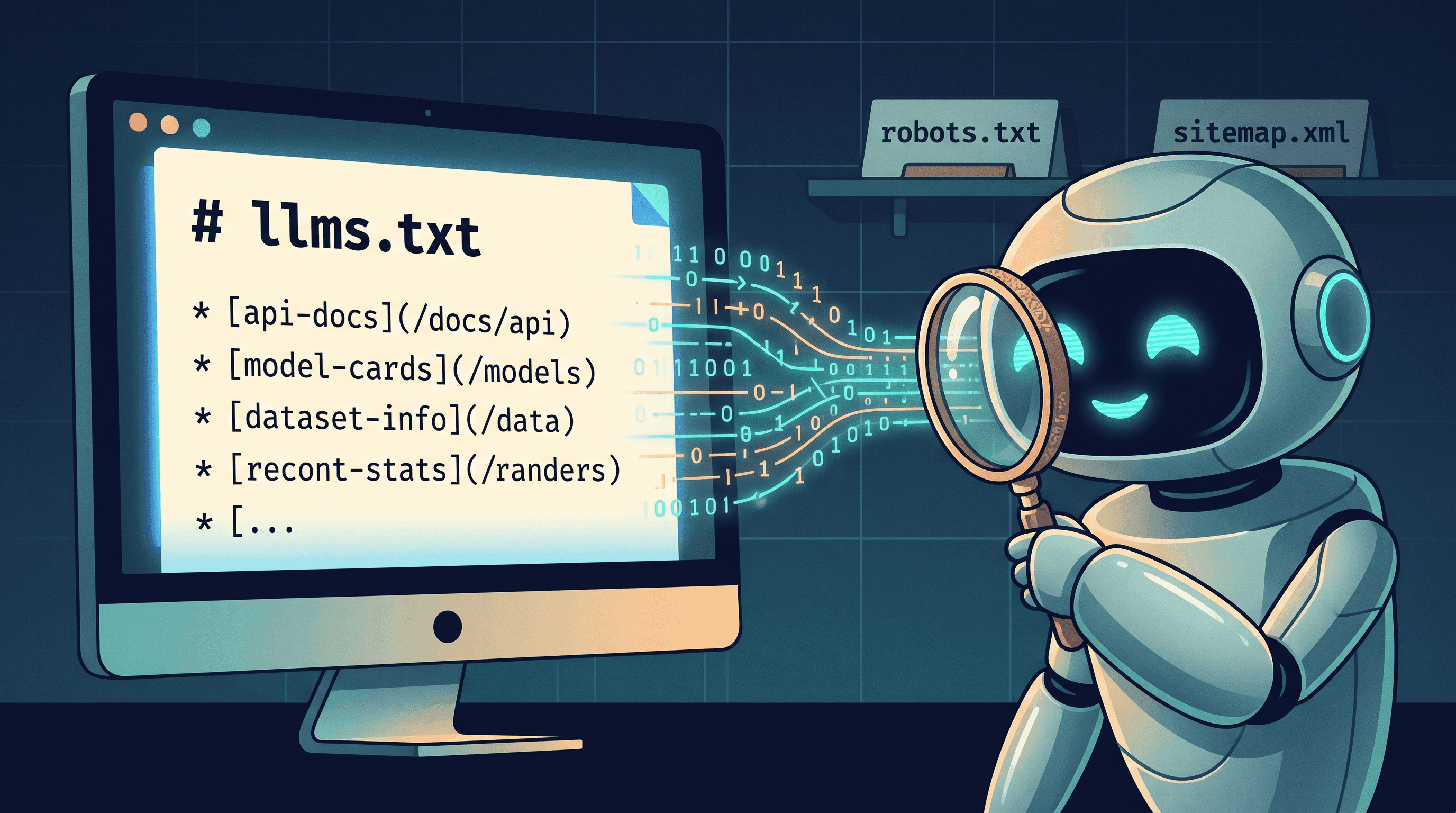
llms.txt is a plain markdown file placed at the root of a website (/llms.txt) that gives large language models a curated, machine-friendly index of the site's most important content. It was proposed by Jeremy Howard of Answer.AI in September 2024 and has since been adopted by Anthropic, Cloudflare, Vercel, Mintlify, Stripe, and hundreds of independent sites.
The format is deliberately simple. The file starts with a single H1 — the project name. Then an optional blockquote summarizes what the project does. Then H2 sections group links by topic, each link followed by a short description. Models read it the way a new visitor reads a sitemap: top-down, fast, and without parsing 40MB of HTML to figure out what matters.
The proposal sits in the same family as robots.txt and sitemap.xml — quiet text files at the root of your domain that tell automated agents how to behave. The difference is the audience. Robots.txt talks to search crawlers in 1994 language ("Disallow: /admin"). llms.txt talks to inference-time agents in 2026 language ("here is a markdown summary of our pricing page, here is the architecture doc, here is the migration guide").
It is not a formal standard yet. There is no W3C working group, no IETF RFC. It is a convention spreading the way RSS spread — one early adopter at a time. That is also why setting one up today is worth the small effort: the cost is low, the LLM ecosystem is still small enough that a clean signal travels far, and the sites doing it now are the ones being cited by ChatGPT and Perplexity tomorrow.
How Does llms.txt Work?
When an AI assistant needs context about your site — say a user asks Claude "how does Stripe handle 3D Secure?" — the assistant's tool layer can fetch https://stripe.com/llms.txt before it touches any HTML. The file gives the model a map: which URLs hold the actual answers, what each one covers, and which sections are optional context.
The mechanic has three parts:
- The file itself lives at the domain root. /llms.txt for the human-curated index. /llms-full.txt for a single concatenated document containing every page the model should know about, inlined as markdown.
- Discovery happens via convention — agents check the root path the same way they check /robots.txt. Some frameworks also link to it from a
<link rel="alternate" type="text/markdown" href="/llms.txt">tag in the page head. - Consumption is up to the agent. Cursor reads llms.txt when you add a docs source. Perplexity and ChatGPT's browsing tools fetch it opportunistically. Anthropic's own docs.anthropic.com/llms.txt is read by Claude itself when it answers Claude API questions.
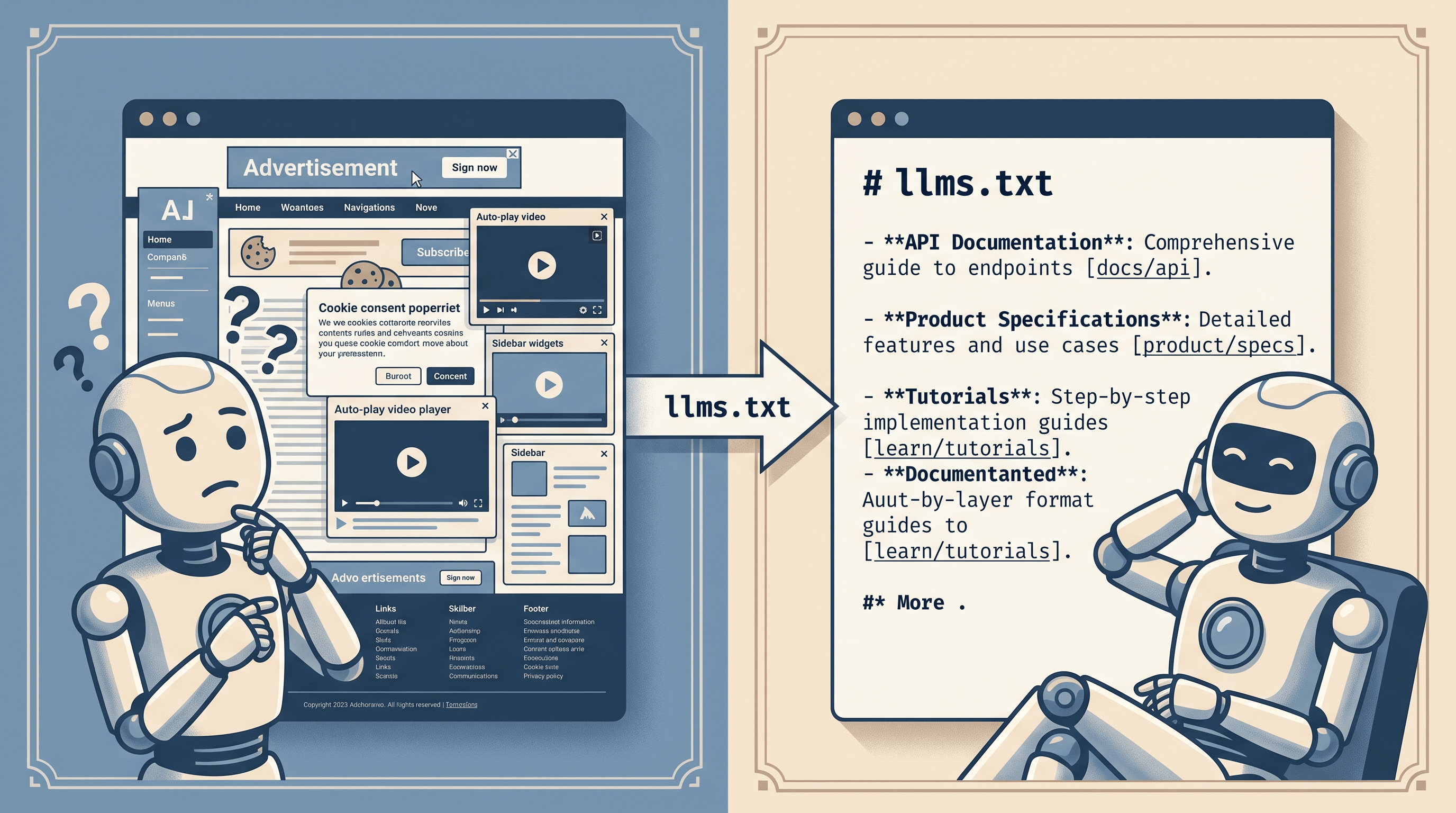
The reason this works better than letting models scrape raw HTML is fidelity. A typical product page is 80% navigation, ads, cookie banners, and footer. The 20% that actually matters — the pricing, the API contract, the changelog — is buried. llms.txt strips that out and hands the model the signal directly. Less noise in, fewer hallucinations out.
llms.txt vs robots.txt vs llms-full.txt
These three files often get conflated. They solve different problems.
| File | Audience | Purpose | Format | Size |
|---|---|---|---|---|
| robots.txt | Search crawlers (Googlebot, Bingbot) | Tell crawlers what they may NOT index | Directive list (Allow/Disallow) | < 1KB |
| llms.txt | LLM agents and assistants | Tell models WHICH pages matter and what each covers | Markdown index with links | 1-10KB |
| llms-full.txt | LLM agents needing full context | Provide the entire content inline, no follow-up fetches | Concatenated markdown | 50KB-10MB+ |
robots.txt is a denial list. It assumes the crawler will index everything by default and just tells it where to stop. It is parsed by simple regex, not by language models. It cannot describe content.
llms.txt is the opposite — an inclusion list with context. It tells the model what is worth reading and gives a one-line summary of each link. It is designed for an agent that can only fetch a few pages before running out of context window, so it has to choose well.
llms-full.txt is the brute-force version. Instead of pointing at URLs, it pastes the actual markdown content into one big file. The advantage: the model gets everything in one fetch. The disadvantage: the file gets huge, hard to keep current, and may exceed context limits on smaller models. Use llms-full.txt for docs sites with a stable surface. Use llms.txt for blogs and marketing sites where pages change weekly.
A pragmatic setup ships both. llms.txt for discovery and selective reading. llms-full.txt for agents that want the whole thing in one shot.
Real-World Applications
llms.txt is being used in five fairly distinct ways today.
Documentation sites. Anthropic, Stripe, Cloudflare, and Vercel all publish llms.txt for their docs. The goal: when a developer asks an AI assistant a question about the product, the model retrieves the canonical answer instead of guessing from training data that is six months old.
Open-source projects. Frameworks like Next.js, Astro, and Tailwind publish llms.txt pointing at their migration guides, API references, and config docs. This is where the highest reduction in hallucinations shows up — version-specific syntax (Tailwind v3 vs v4) is exactly what models get wrong without a fresh source.
SaaS marketing sites. Pricing pages, feature pages, and case studies. When someone asks ChatGPT "what does X cost?", a well-formed llms.txt lands you in the answer rather than at the bottom of a SERP. Early adopters report a measurable lift in AI-driven referral traffic — one indie SaaS founder posted a 38% jump in ChatGPT-sourced sessions in the eight weeks after shipping one.
Personal blogs and newsletters. A 50-line llms.txt that points to your best posts, tagged by topic, lets models recommend you by name when readers ask things in your domain. Several writers covered in Stratechery and Lenny's Newsletter now ship one.
API docs and SDKs. This is where llms-full.txt earns its keep — paste the entire reference into one file, version it with the SDK, and your users' AI assistants stop generating fictional endpoints.
How to Generate llms.txt for Your Site
You can write llms.txt by hand. The file is small. But for a site with 30+ pages, hand-curating gets tedious, and the bigger problem is producing clean markdown versions of pages that were authored in HTML, MDX, or a CMS.
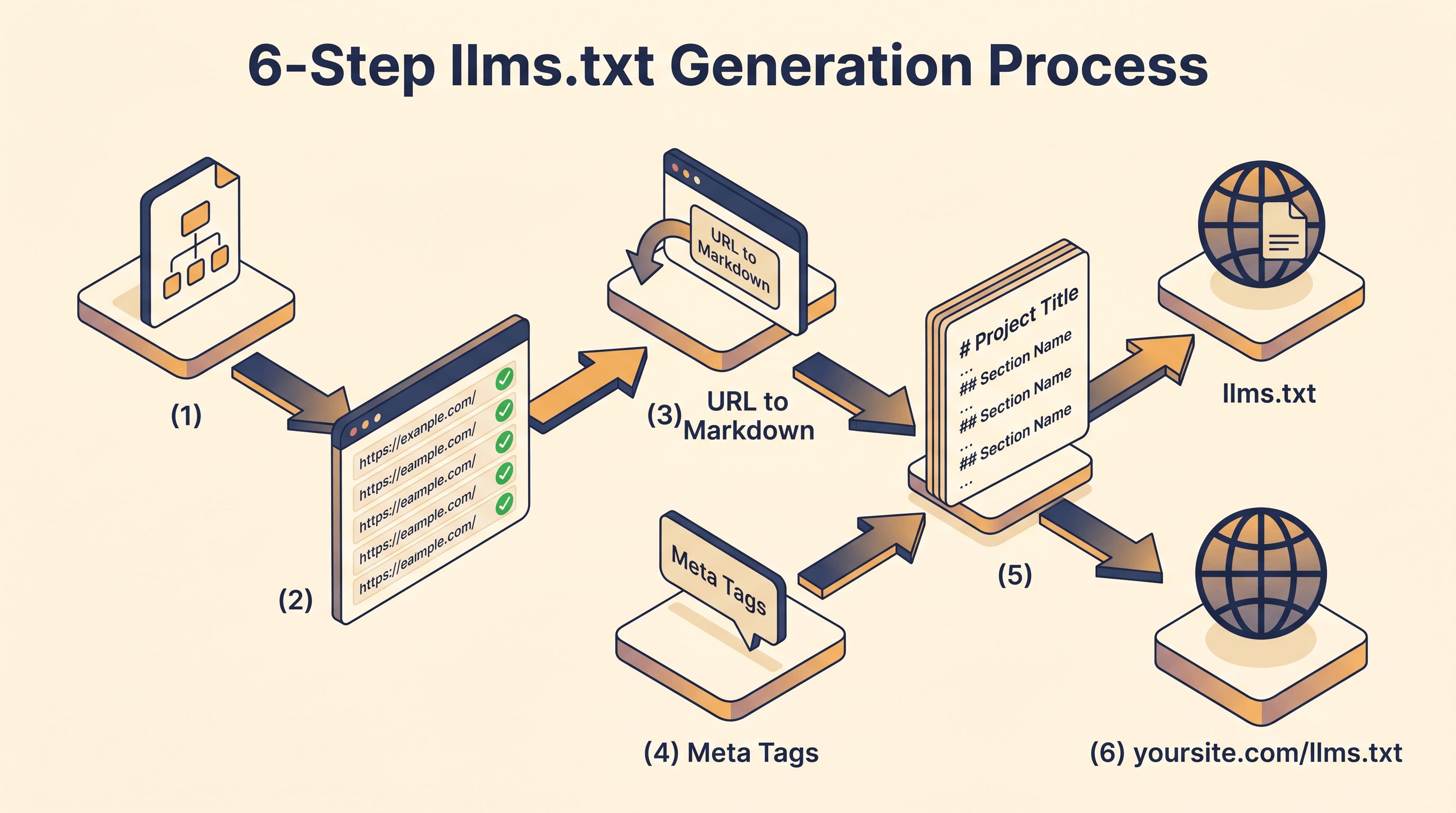
Here is a workflow that takes an afternoon.
Step 1: Inventory your important URLs. Pull your sitemap.xml and pick the 20-50 pages that matter — homepage, pricing, docs index, top blog posts, the API reference. Skip search pages, archives, and anything that is mostly navigation.
Step 2: Extract clean markdown for each page. This is where the manual approach gets painful. You need the body content without the chrome — no header, no sidebar, no cookie banner, no related-posts widget. Paste a URL into URL to Any and pick URL to Markdown — it strips the page chrome and returns clean markdown in about two seconds. Do this for each of your 20-50 important URLs and you have the body content you need for llms-full.txt and the descriptive context for llms.txt.
Step 3: Pull title and description metadata. llms.txt entries need a short, accurate one-line summary per link. The cleanest source is the page's own meta tags. The URL Meta Tags Extractor on URL to Any returns title, meta description, OG tags, and Twitter card data in one pass — usually the meta description is already a serviceable one-liner you can drop straight into the file.
Step 4: Assemble the index. Create /llms.txt with this structure:
# Your Project Name

> One-paragraph summary of what your project does.

## Core Pages
- [Homepage](https://example.com/): One-line description from your meta tags
- [Pricing](https://example.com/pricing): Plan tiers and feature breakdown
- [Docs](https://example.com/docs): Getting started and API reference

## Documentation
- [Authentication](https://example.com/docs/auth): OAuth and API key setup
- [Webhooks](https://example.com/docs/webhooks): Event types and signing
...

## Blog
- [Post Title](https://example.com/blog/post): What this post argues
...

## Optional
- [About](https://example.com/about): Team and company background
Step 5: Optionally build llms-full.txt. Concatenate all the markdown bodies you extracted in Step 2 into a single file. Add an H1 per page so the model can navigate. Cap at ~10MB; if you go over, ship llms.txt only and let agents fetch the URLs they need.
Step 6: Serve it. Drop the files at the root of your domain. /llms.txt at https://yoursite.com/llms.txt. Verify it returns text/plain or text/markdown and a 200 status. Add a <link rel="alternate" type="text/markdown" href="/llms.txt"> tag to your homepage <head> so discovery is explicit.
FAQ
Q: Is llms.txt an official standard?
A: No. It is a convention proposed by Jeremy Howard in September 2024 and adopted bottom-up by companies including Anthropic, Cloudflare, and Vercel. There is no W3C working group, but adoption has been wide enough that major AI tools now fetch it when present.
Q: What's the difference between llms.txt and robots.txt?
A: robots.txt tells search crawlers which URLs to avoid — it is a denial list parsed by regex. llms.txt tells AI models which URLs matter and what each one contains — it is an inclusion list written in markdown. They coexist; you should ship both.
Q: Do I need llms-full.txt if I already have llms.txt?
A: Not always. llms.txt points at URLs and assumes the agent will fetch them. llms-full.txt inlines all the content so the agent only needs one fetch. Docs sites with stable content benefit from llms-full.txt. Blogs that change weekly are easier to maintain with just llms.txt.
Q: Will llms.txt help my SEO?
A: It will not affect Google's blue links — Googlebot ignores it. It can affect what shows up in AI Overviews, ChatGPT browsing answers, and Perplexity citations, because those tools actively look for it. Treat it as AI-channel SEO, separate from traditional ranking.
Q: How often should I update llms.txt?
A: Whenever you ship pages that you want models to know about. For docs sites, regenerate on every release. For blogs, add new posts as you publish them. Stale llms.txt is worse than no llms.txt — it points models at content that does not exist.
Q: Can I block specific AI crawlers with llms.txt?
A: No. Blocking is robots.txt territory (User-agent: GPTBot, Disallow: /). llms.txt is purely about giving models a better map of what you want them to read. The two files do different jobs.
Conclusion
llms.txt is a small file, a low-effort experiment, and a meaningful signal in the AI search era. It does not replace robots.txt or sitemap.xml — it sits beside them, talking to a newer kind of crawler. If your site is the kind that benefits from being cited correctly by ChatGPT, Claude, or Perplexity, the cost of shipping one is an afternoon.
Need to convert web pages to clean markdown for your llms.txt index? Try URL to Any free → — URL to Markdown, URL Meta Tags Extractor, and 10+ other conversion tools, no signup required.