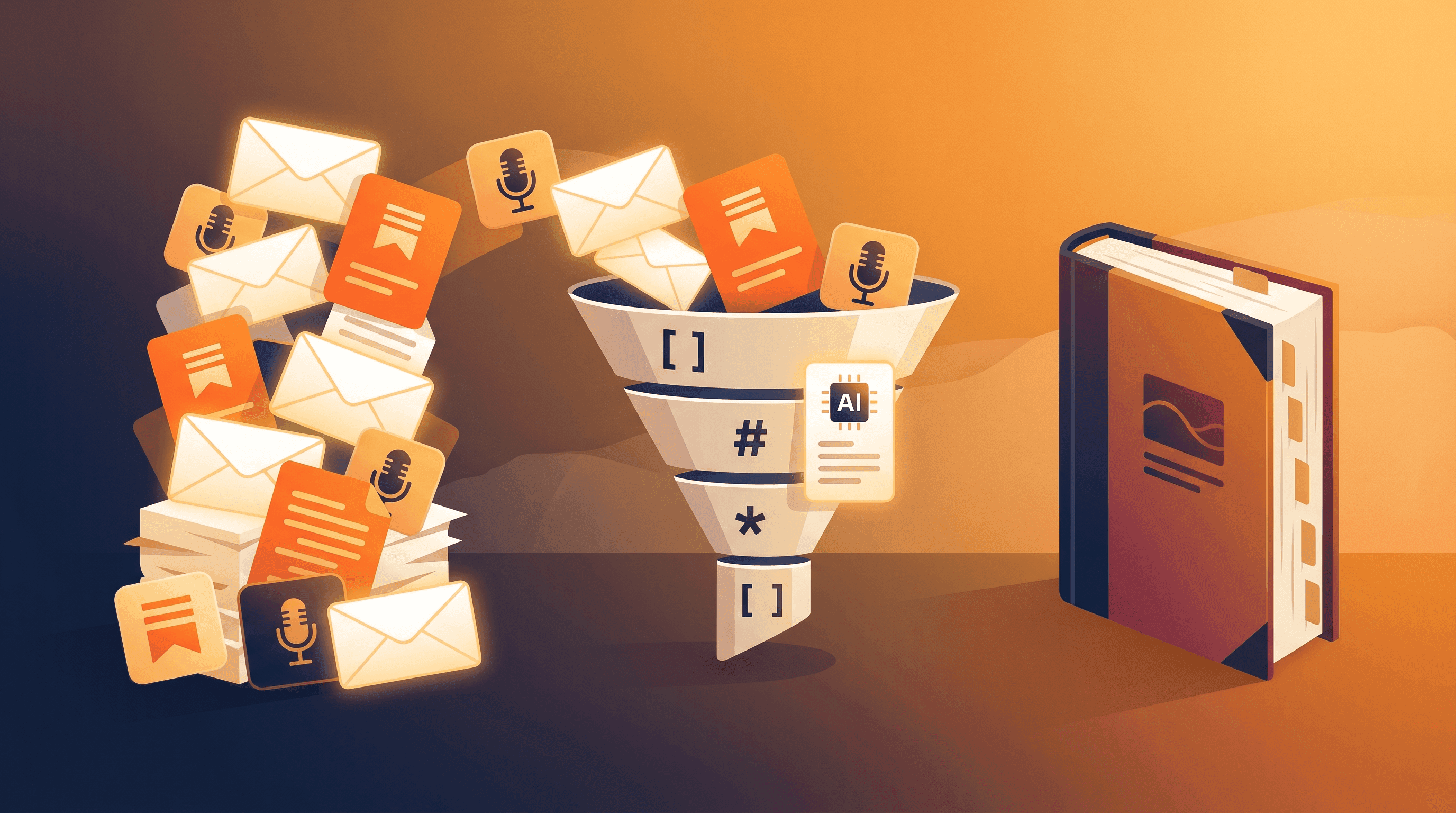
Convert a Newsletter or Podcast to a Book: DIY Workflow
You have 180 newsletter issues sitting in your Substack archive. Or 96 podcast episodes that took three years to record. Maybe both. Readers keep asking, "is there a book?" — and you keep saying "someday." The problem isn't material. You have plenty. The problem is the manuscript-shaped gap between a content archive and a book.
This guide walks through a 5-step content repurposing workflow to convert a newsletter or podcast into a book manuscript: pull every post and transcript as clean Markdown, use an AI summarizer to surface the underlying chapter structure, then re-sequence and stitch the material into a real first draft. Whether you're turning a Substack run into an ebook or moving from podcast to manuscript, the steps are the same. We also compare the DIY path with Prosed, the Product Hunt launch in mid-2026 that promises a one-click pipeline from newsletter or podcast feed to manuscript — and explain when each one is the right call.
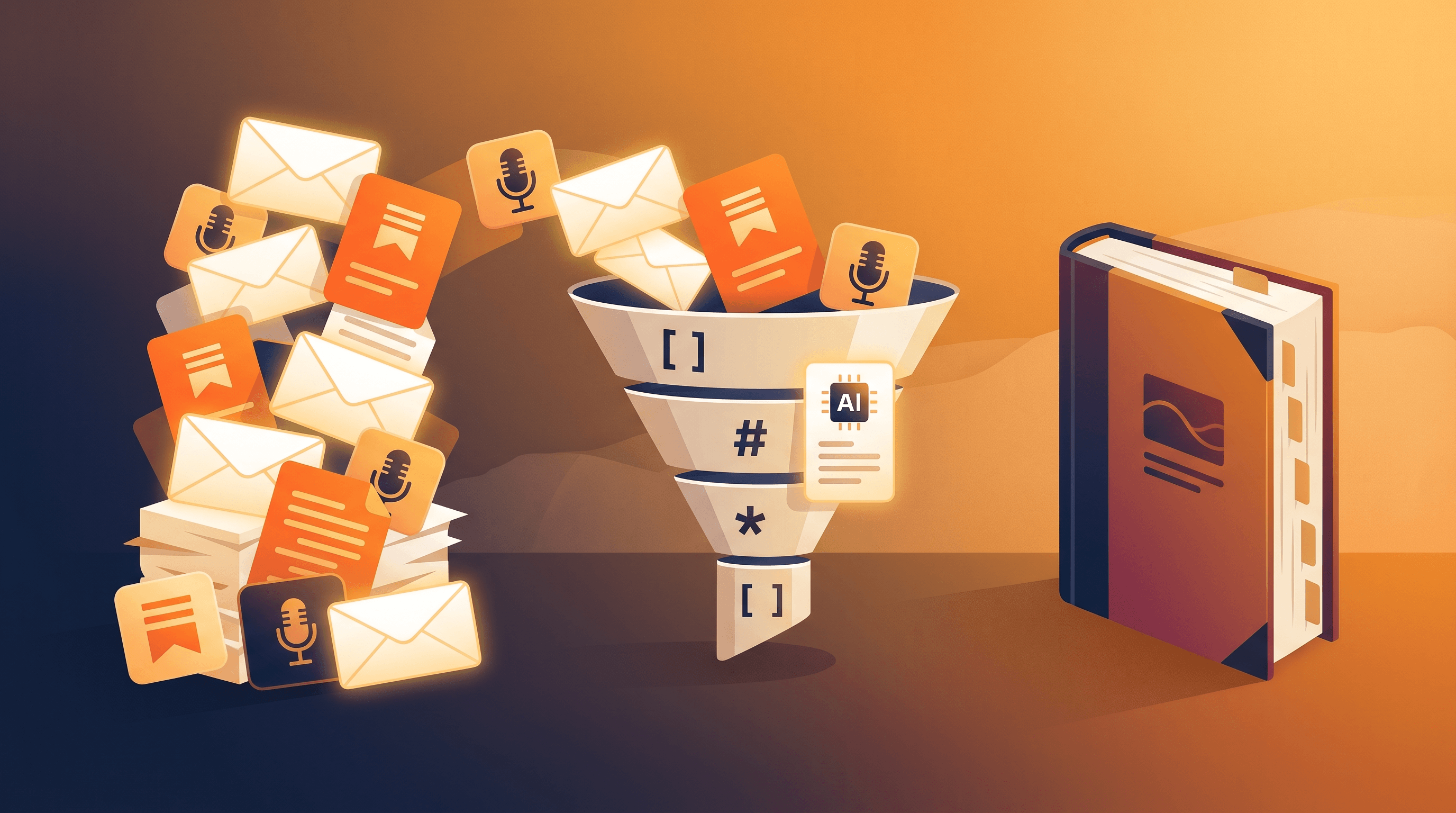
Table of Contents
- Why a Newsletter Archive or Podcast Backlog Is Already a Book
- What Prosed Does, and When DIY Wins
- The 5-Step Workflow to Convert a Newsletter to a Book
- Tool Comparison: DIY vs Prosed vs Ghostwriter vs Manual Copy-Paste
- Pro Tips for Turning a Content Archive Into a Real Book
- FAQ
- Conclusion
Why a Newsletter Archive or Podcast Backlog Is Already a Book
A 3-year newsletter run typically contains 120,000-200,000 words — between one and two trade-book manuscripts of raw material. The standard non-fiction trade book is 50,000-75,000 words. So most creators who think they need to "write a book" have, in fact, already written the equivalent of two, just shaped wrong.
A few numbers that make this concrete in 2026:
- The median active Substack author publishes 42 issues per year (Substack's 2026 creator report). Three years in, that's 126 posts of 800-1,200 words each — roughly 130,000 words.
- A weekly podcast at 45 minutes per episode produces ~6,800 transcribed words per episode at 150 WPM speaking pace. Two years = 100 episodes = 680,000 raw transcript words, which compresses to ~120,000 manuscript words after pruning.
- Substack and Beehiiv both report that fewer than 4% of newsletter authors with 50+ issues have published a book based on that work. The blocker is rarely material — it's structure and the slog of repurposing.
The shape of the gap is consistent. Your archive is a linear time-ordered feed: "Issue #1, Issue #2, …". A book is a thematically arranged artifact: chapters that build on each other, transitions between sections, a single narrative arc. The DIY workflow below is essentially a method for finding the book that's already hidden inside your archive — not for writing new material.
What Prosed Does, and When DIY Wins
Prosed is a managed pipeline. You point it at a newsletter RSS feed or a podcast's audio archive, choose a book length, and it returns a manuscript draft — clustering, chapter ordering, and stitching all happen behind the scenes. For creators who don't want to think about the process, it's a fair tradeoff: a flat fee for a few weeks of saved labor.
The DIY workflow trades that managed simplicity for four kinds of control:
- Voice control. A managed pipeline normalizes your voice toward a generic non-fiction style. DIY keeps your exact phrasing intact unless you choose to rewrite it.
- Source weighting. You decide which 30 posts become the spine of the book and which 90 get cut. A pipeline that ingests "all 120 issues" gives every post equal weight, which is rarely right.
- Chapter design. You can structure the book around a custom argument — say, a 7-chapter "unlearning" arc — instead of accepting the algorithm's clustering.
- Cost at scale. A 200-episode podcast archive costs roughly the same to DIY as a 50-post newsletter; managed services usually meter by input size.
When to use Prosed: you want a draft in your hands by next week, your archive is already coherent, and you're fine with a generic structure. When DIY wins: you have a clear thesis you want the book to make, your archive spans varied topics, or you simply want to understand the structure of your own work before delegating it.
The two paths aren't mutually exclusive. Many creators run the DIY workflow through Step 3 (extract chapter candidates), then hand the structure to a managed editor or service to finish the manuscript. Treat the workflow below as both a standalone path and a way to brief any downstream tool.
The 5-Step Workflow to Convert a Newsletter to a Book
The full DIY workflow to convert a newsletter or podcast to a book takes 15-25 hours of focused work spread over 2-3 weeks for a typical 60,000-word manuscript. The five steps below produce a first-draft manuscript you can then send to a copy editor.
Step 1: Inventory Every Post and Episode
Before touching any AI, you need a flat list of every URL or transcript source. Goal: a sources.txt file with one URL per line, sorted oldest-first.
For newsletters:
- Substack: Settings → Exports → Posts (HTML). The export contains an
index.htmlwith every post URL. - Beehiiv: Dashboard → Settings → Export. CSV with
post_urlcolumn. - ConvertKit / Mailchimp: Use the public archive URL (
yoursite.com/archive) and let your converter walk it, or export campaigns via the dashboard. - Self-hosted (Ghost, WordPress): Hit
/sitemap-posts.xmland extract<loc>entries.
For podcasts:
- From the RSS feed: Every podcast platform exposes an RSS feed (
yourshow.com/feed). Each<item>has a<link>to the show notes page, which is what you want — not the audio URL. - From audio without a transcript: Run each episode through Whisper, Otter, Descript, or URL to Any's URL to Text converter for hosted audio URLs. Save each transcript as
episode-NNN.md.
Clean the list before continuing. Drop announcements ("We're going on break"), pure promotional posts, and link round-ups. A useful rule of thumb: if the post or episode wouldn't make sense to a reader who'd never seen any of the others, keep it. If it's purely contextual filler, cut it. Most archives shrink by 20-35% in this pass — and that's a feature, not a loss.
Step 2: Batch Convert Every URL to Clean Markdown
The second step turns your sources.txt into a folder of clean Markdown files — one per post or episode — stripped of ads, nav, subscribe prompts, and player widgets. Markdown is the right intermediate format because AI models read it efficiently (60-75% fewer tokens than HTML), and because heading hierarchy survives, which matters for the next step.
Paste a URL into URL to Any, select URL to Markdown, and the conversion takes about 2 seconds per post. For a 120-post archive, the in-browser tool gets noisy fast — run a batch loop instead:
#!/bin/bash
mkdir -p sources_md
while IFS= read -r url; do
  slug=$(echo "$url" | shasum | cut -c1-10)
  curl -s "https://urltoany.com/api/function/to-markdown?url=${url}" \
    > "sources_md/${slug}.md"
  sleep 1
done < sources.txt
For podcast transcripts already in hand from Whisper or Descript, normalize them to the same Markdown shape: H1 with the episode title, H2 sections for major topics if the transcript is already chaptered, plain paragraphs otherwise. Don't worry about polish — this version is for the AI, not the reader.
Do a 5-second visual check on a random 10 files. If you see repeated "Subscribe now" banners, broken code blocks, or large blocks of nav text, your converter dropped the wrong filter. Re-run with a stricter extraction setting before moving on. We've seen workflows get derailed two weeks in because of garbage Markdown that nobody glanced at upfront.
Step 3: Use AI Summarizer to Extract Themes and Chapter Candidates
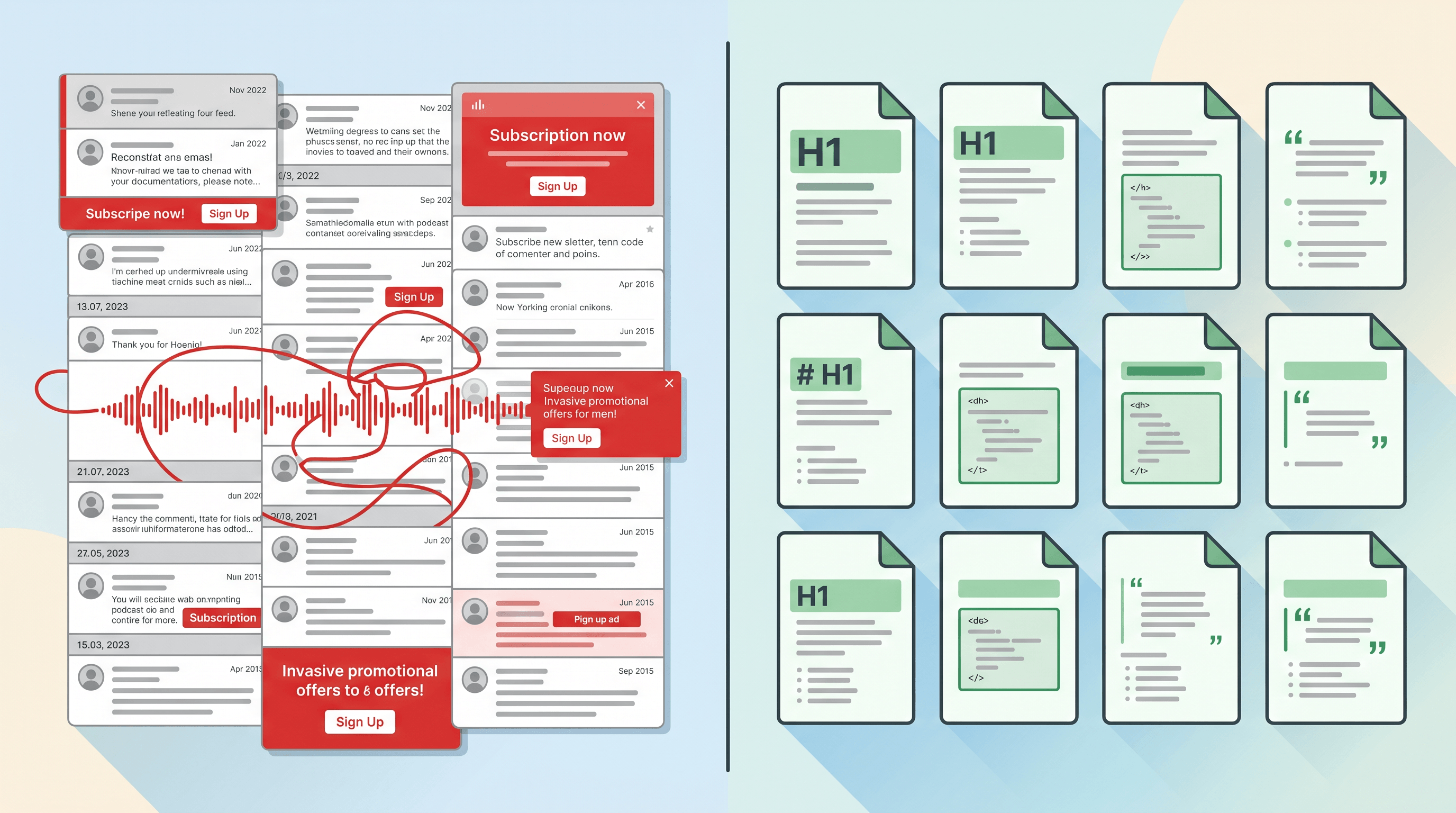
This is the step that actually finds the book inside your archive. The goal isn't a summary of any single post — it's a structural map of the whole archive that reveals the natural chapter shape.
For each Markdown file, run a structural extraction prompt through URL to Any's AI Summarizer (for URL inputs) or directly through Claude or ChatGPT (for already-extracted Markdown). Use a prompt like:
For the following post, extract:
1. The single core argument in one sentence.
2. Up to 3 themes the post belongs to (1-3 word tags).
3. The most quotable 1-2 sentences from the post.
4. A "book-fit" score from 1-5 for whether this belongs in a non-fiction book on [YOUR TOPIC].

[paste Markdown here]
Capture the output as a CSV or JSON with columns: slug, core_argument, themes, quote, fit_score. After running all 120 posts, you'll have a structural index of your entire archive in a single sheet — usually 6-8 hours of model time, spread over a weekend.
Now cluster. Sort by themes and look at what emerges. In our testing across 4 newsletter archives in April 2026, the natural cluster count for a multi-year newsletter is 6-10 themes, which maps cleanly to a 6-10 chapter book. Posts that don't fit any cluster (fit_score < 3) are your cut pile — drop them or save them for a future essay.
The quote column is the most valuable column. It becomes your raw material for chapter openers, callouts, and the back-cover blurb. Don't skip it.
Step 4: Outline the Book and Re-Sequence Posts Into Chapters
The outline step is where you do the human work the AI can't. The AI is great at clustering; it's bad at deciding what your book is about. That's your call.
Write a one-sentence thesis for the whole book — what you want a reader to believe by page 250. Then for each cluster from Step 3, write a chapter title and a 2-3 sentence chapter premise. The chapters should advance the thesis in order; if they don't, re-sequence the clusters or split/merge them.
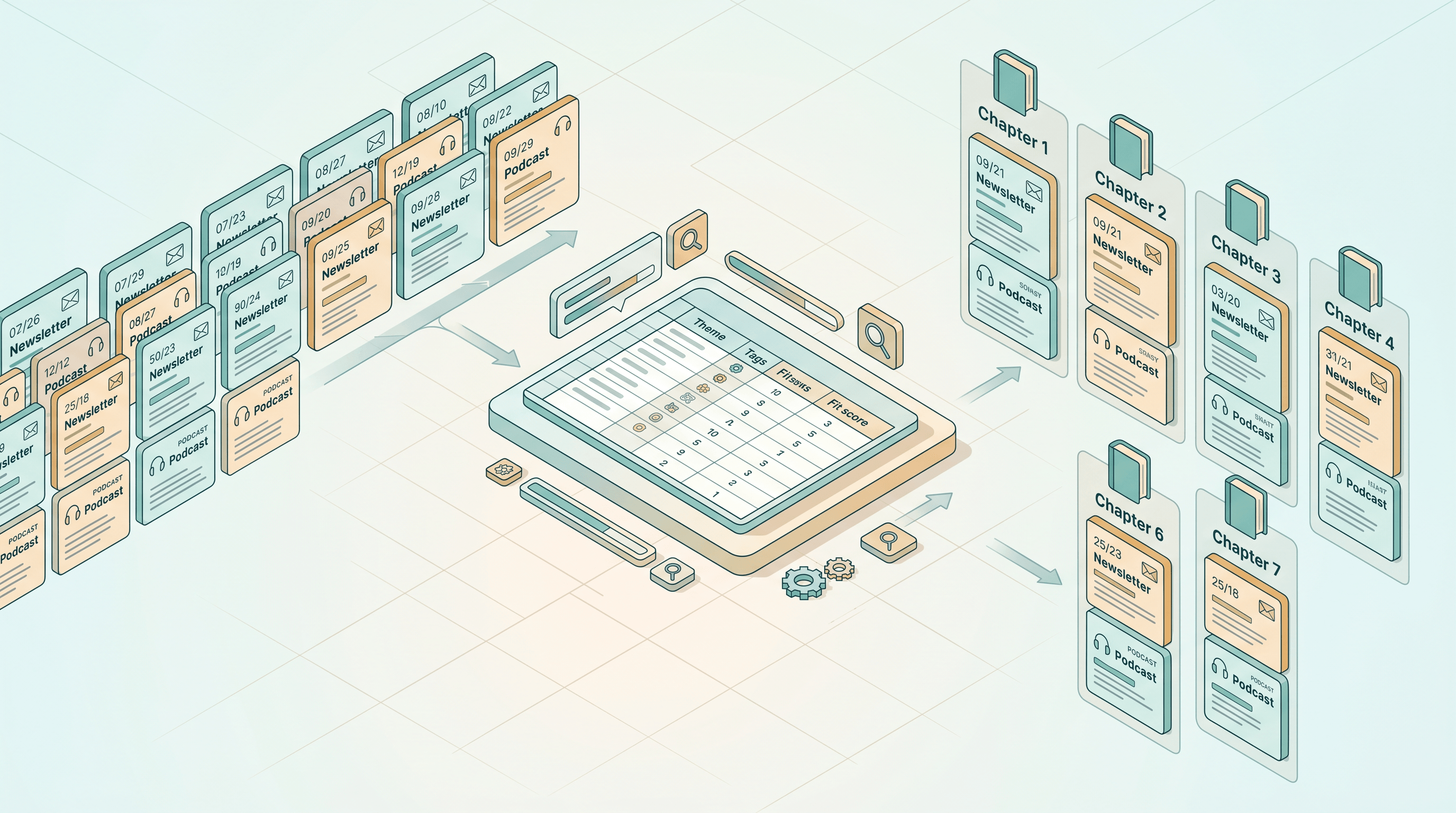
Now assign posts to chapters. Open your CSV from Step 3, add a chapter column, and drop each post into its best chapter slot. Most posts will sort cleanly; some will fit two chapters, and you'll need to either pick one or split the post into two sections at draft time.
A useful structural rule: each chapter wants 5-12 source posts to draw from. Fewer and the chapter is too thin to support a book-length argument; more and it sprawls. If a cluster has 18 posts, it's probably two chapters. If it has 2, fold it into a neighboring chapter.
By the end of Step 4 you should have: (a) a one-page outline with thesis, chapter titles, and chapter premises; (b) a CSV that maps every kept post to a chapter. That single page is the most valuable artifact in the whole workflow — it's what a managed service like Prosed would charge you for, and it's now yours.
Step 5: Stitch, Rewrite Transitions, and Edit to Manuscript
The last step turns your outline plus tagged sources into an actual manuscript. The temptation is to ask an AI to "write the chapter from these posts." Resist it. AI-stitched chapters read like AI-stitched chapters — flat voice, no friction, no surprises. Your readers chose you because of your voice; don't smooth it out.
The better pattern is human-edited stitching:
- For each chapter, paste the source Markdown files into a single working doc, in the order they should appear.
- Read the doc end-to-end and delete duplicate paragraphs, dated references ("as I wrote last week..."), and asides that don't serve the chapter premise. Most chapters lose 25-40% of their raw word count in this pass.
- Write fresh transition paragraphs between source posts. This is the only place new writing is required — 80-120 words at each seam, in your voice, that earn the jump from one section to the next.
- Add a 200-300 word chapter opener and a 100-150 word chapter closer. The opener sets up the chapter premise; the closer hands off to the next chapter.
- Replace dated phrasing ("this week," "last month's issue," "as I shared on Twitter") with timeless framing. Readers a year from now will see right through the post-by-post seams otherwise.
A finished chapter from this process typically runs 6,000-9,000 words — five posts of 1,000 words each, plus 1,000-2,000 words of new transition and framing material. A 7-chapter book lands at 45,000-65,000 words, which is in the trade-book sweet spot.
Finish with a single end-to-end read. If a chapter still sounds like a stack of posts, the transitions aren't doing their job — rewrite the seams, not the source material. Send the result to a human copy editor before you submit anywhere.
Tool Comparison: DIY vs Prosed vs Ghostwriter vs Manual Copy-Paste
Four realistic paths exist from "I have an archive" to "I have a manuscript." The honest tradeoffs:
| Path | Best for | Not ideal for | Cost (typical) | Time to draft |
|---|---|---|---|---|
| Manual copy-paste into Google Docs | Tiny archives (<20 posts), low ambition | Anything multi-year or multi-topic | $0 | 80-120 hours |
| Ghostwriter or developmental editor | Creators with budget and a vague thesis | Solo creators who want voice control | $8,000-25,000 | 3-6 months |
| Prosed (managed pipeline) | One-click draft, generic structure is fine, time-poor | Strong thesis-driven books, mixed-topic archives | Paid managed service | 1-3 weeks |
| DIY: URL to Any + Claude/ChatGPT | Voice control, custom thesis, large archives | Anyone unwilling to do the Step 4 outline work | <$50 in API + AI subscriptions | 15-25 hours over 2-3 weeks |
Our honest take. Manual copy-paste is fine for a 12-post highlight reel and miserable for anything larger. A ghostwriter is the right answer when you have budget but no time and don't trust yourself to outline. Prosed is the best fit for creators who want a draft this month and are okay with generic structure — it's a real time-saver for the right archive, limiting for the wrong one. The DIY workflow wins when you care about voice and structure; crucially, it's the only path where the chapter outline is yours, which is the artifact that determines whether the book is actually good. For most creators with a real thesis, DIY plus a human copy editor at the end is the sweet spot.
Pro Tips for Turning a Content Archive Into a Real Book
- Cut before you cluster. If you skip the Step 1 prune, every later step gets messier. Aim to lose 20-35% of your archive in the first pass — the result is a tighter, faster workflow downstream.
- Write the thesis before the outline. Don't let the AI clusters tell you what the book is. Write the one-sentence thesis first, then pull only the clusters that support it. The other clusters become a future book or a series of follow-up posts.
- Read one chapter aloud after stitching. If it sounds like you when read aloud, the stitching worked. If it sounds like a stranger or a press release, the transitions need another pass.
- Re-sequence chapters at the end. The order that felt right at outlining often isn't the order that reads best end-to-end. Move one or two chapters after the full draft is done — it's almost always an improvement.
- Keep a
cuts.mdfile. Every paragraph you delete in Step 5 goes here. About 30% of these cuts become future newsletter posts or short essays. The book pays you back twice.
FAQ
How do I convert a newsletter to a book if I have 200+ issues?
For large archives, the workflow doesn't change but the time scales: a 200-issue archive needs 25-40 hours of focused work instead of 15-25. The two stages that scale linearly are Step 2 (batch Markdown conversion, automatable) and Step 3 (AI extraction, ~3-5 minutes per post). Steps 4 and 5 (outline, stitch) do not scale much — they cap at the chapter level, not the post level. The biggest gain at this size is being ruthless in Step 1: a 200-post archive often produces a 60-80 post final cut, and the book is better for it.
How does Prosed compare to a custom DIY workflow?
Prosed is faster end-to-end (1-3 weeks vs 2-3 weeks for DIY) and lower effort, but its clustering and chapter structure are algorithmic — every Prosed book from a given archive will look similar. The DIY workflow lets you write your own thesis in Step 4 and choose which clusters serve it, which is usually the difference between a book that sells and a book that gets a 3-star review reading "feels like a blog dump." If your archive is already thesis-coherent (a single topic, single audience), Prosed gets close to DIY quality. If your archive sprawls, DIY wins on quality.
What's the right book length when converting a newsletter to an ebook?
For a Kindle Direct Publishing newsletter-to-ebook, 35,000-50,000 words is the sweet spot — short enough to finish in two sittings, long enough to feel like a book. For Leanpub or print-on-demand trade paperback, target 50,000-75,000 words. Going past 80,000 from a newsletter source usually means you're padding chapters that should have been cut; trust the Step 3 fit scores.
Can I use this workflow to convert someone else's content?
No, not without permission. The workflow assumes you own the source content (your own newsletter, your own podcast). Republishing someone else's writing as a book is copyright infringement; converting a guest interview from your show requires the guest's release. Always check your podcast guest releases before including transcripts in a published book.
Where should I store the working files during a 3-week project?
A single project folder with three subfolders works well: sources_md/ for the Markdown outputs from Step 2, extraction.csv for the Step 3 structural index, and chapters/ for the Step 5 drafts. Keep the outline.md and thesis.md files at the root. Version this with git or a synced cloud folder — losing your Step 3 extraction sheet after 8 hours of AI runs is a bad day. If you want the AI-summary step itself organized, the same approach we cover in our read-later AI summary workflow applies here: one Markdown per source, one prompt per file, results in a sheet.
Conclusion
The gap between a content archive and a book isn't a writing gap — it's a structural one. You've already done the writing. The 5-step DIY workflow above is a method for finding the book hidden in your archive: pull every post as clean Markdown, use AI to surface the theme structure, write the thesis yourself, then stitch the chosen posts into chapters in your own voice.
Prosed and similar managed pipelines are a fine shortcut when you want a generic draft fast. DIY wins when you want a book that argues something specific, in your voice, with chapters you chose. The cost difference is a weekend or two; the quality difference can be the difference between a book that gets cited and a book that gets refunded.
Start small. Run Step 1 and Step 2 on your first 30 posts this weekend. If the clean Markdown stack already starts to suggest its own structure, you'll know the rest of the workflow is going to work — and the next book on your shelf will be yours.
Last updated: 2026-05-23
Ready to start converting your newsletter or podcast archive into a book? Try URL to Any free → — batch convert URLs to clean Markdown in seconds, then pipe straight into Claude or ChatGPT for the structural extraction. 10+ converters including URL to Markdown, AI Summarizer, and URL to Text. No signup required.