How to Feed a Webpage to ChatGPT: 4 Methods That Work
You found the perfect research article online, but when you paste it into ChatGPT, the response is vague and misses key details. The problem? ChatGPT never actually "read" the webpage — it only saw a messy blob of text stripped of all structure.
This guide covers four practical methods to feed web content to ChatGPT so it can actually understand what you're sharing.
Table of Contents
- Why ChatGPT Struggles with Raw Web Content
- Method 1: Copy-Paste (Quick but Lossy)
- Method 2: Convert the URL to Markdown First
- Method 3: Use ChatGPT's Built-in Browse Feature
- Method 4: API + Preprocessing Pipeline
- Pro Tips for Better Results
- FAQ
Why ChatGPT Struggles with Raw Web Content
When you copy text from a webpage and paste it into ChatGPT, you lose:
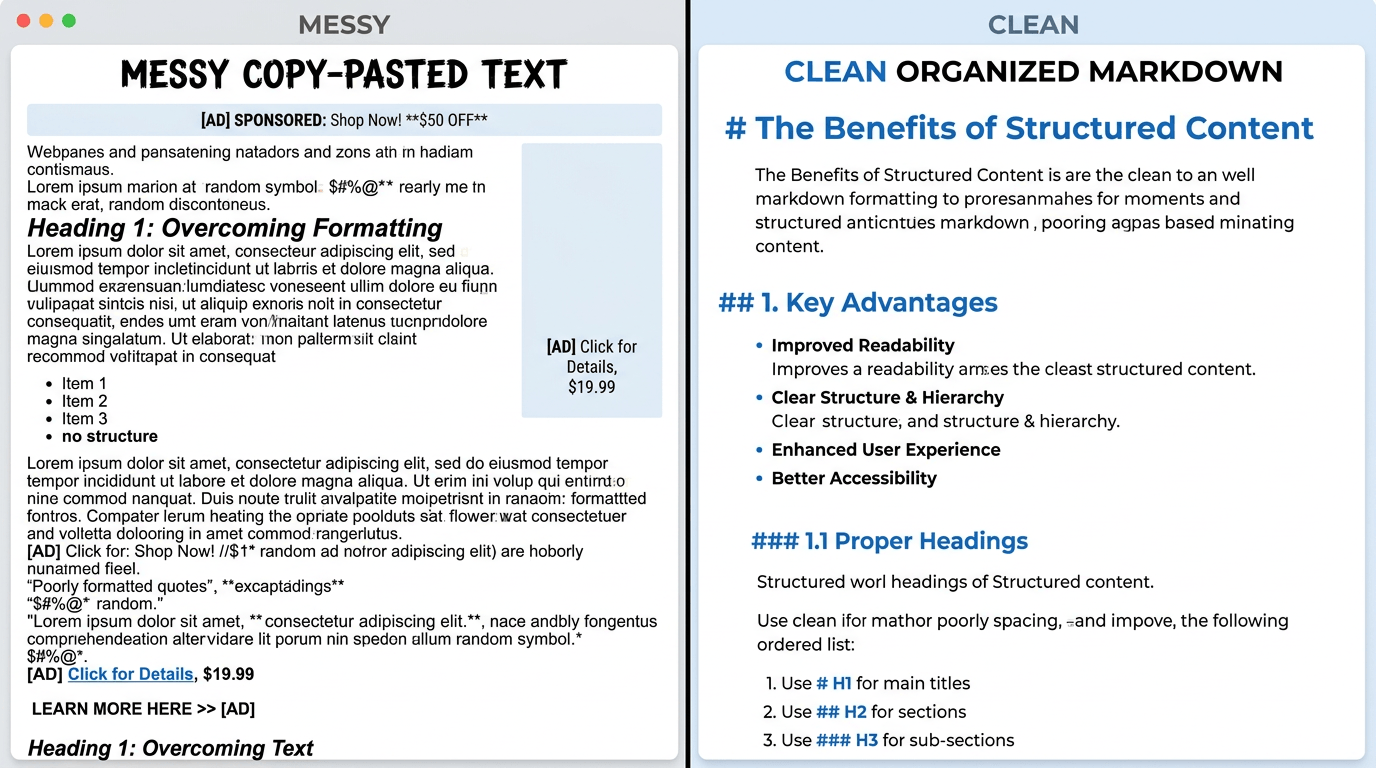
- Headings and hierarchy — ChatGPT can't tell an H2 from body text
- Lists and tables — They collapse into run-on paragraphs
- Code blocks — Indentation and syntax disappear
- Links and references — All context about sources is gone
This matters because ChatGPT relies on structure to understand context. A well-formatted Markdown document gives it clear signals about what's important, what's a detail, and how ideas relate to each other.
Method 1: Copy-Paste (Quick but Lossy)
The simplest approach: select all text on the page, copy, and paste into ChatGPT.
When it works: Short articles with minimal formatting — blog posts, news articles, plain text pages.
When it fails: Technical documentation with code blocks, research papers with tables, or any page with complex structure.
How to do it:
- Open the webpage
- Press Ctrl+A (Cmd+A on Mac) to select all
- Copy and paste into ChatGPT
- Add your prompt above or below the pasted content
The downside: you'll also grab navigation menus, footers, cookie banners, and sidebar content. ChatGPT has to wade through all that noise to find the actual article.
Method 2: Convert the URL to Markdown First
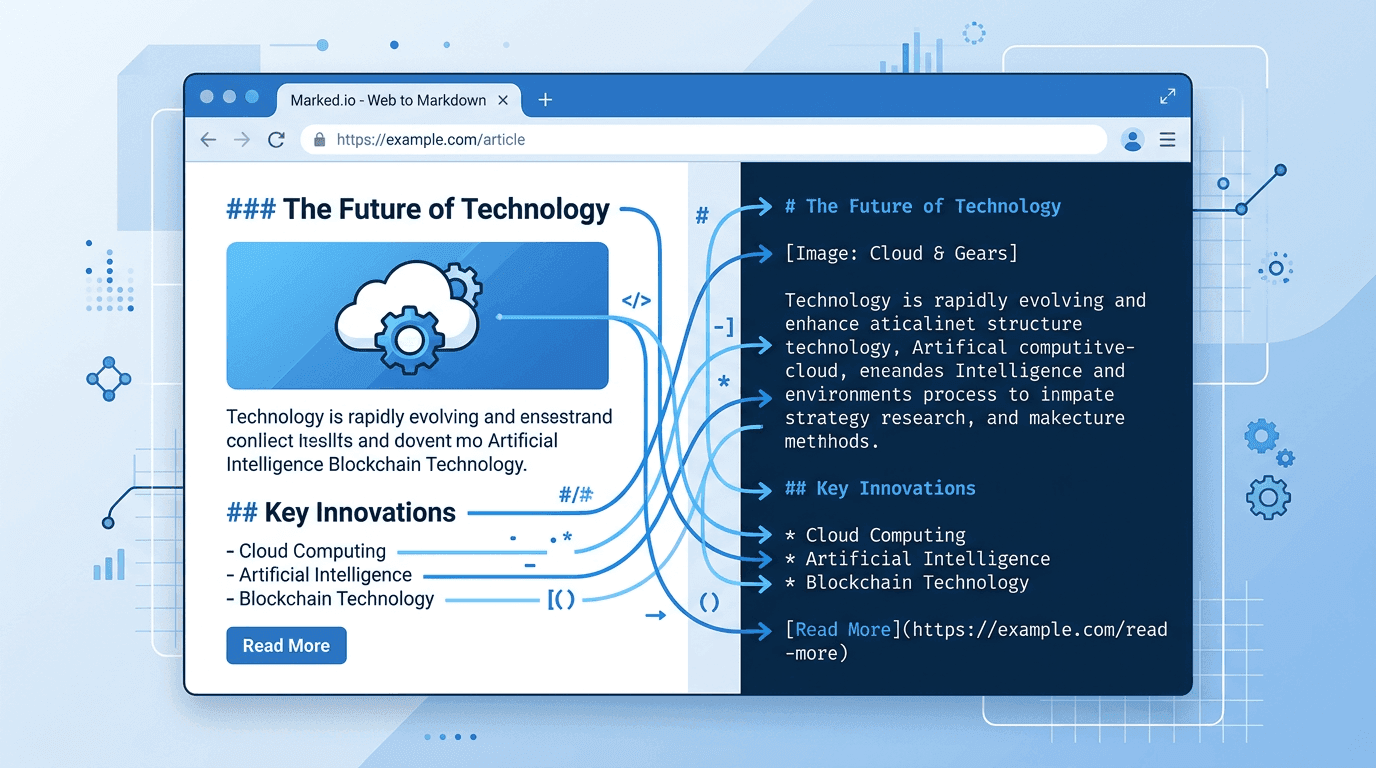
This is the most reliable method for preserving structure. Convert the webpage to Markdown before sending it to ChatGPT.
Markdown keeps headings, lists, tables, code blocks, and links intact — exactly the signals ChatGPT needs to understand your content.
How to do it:
- Go to a URL-to-Markdown converter (tools like URL to Any handle this — paste a URL and get clean Markdown back)
- Paste the target URL
- Copy the Markdown output
- Paste it into ChatGPT with your prompt
The result is dramatically better. ChatGPT can see the document structure, follow the logical flow, and reference specific sections in its response.
Method 3: Use ChatGPT's Built-in Browse Feature
ChatGPT Plus and Team subscribers can ask ChatGPT to browse a URL directly.
How to do it:
- Type: "Read this article and summarize the key points: [URL]"
- ChatGPT will fetch and read the page
Limitations:
- Only available on paid plans
- Some websites block ChatGPT's crawler
- Paywalled or login-gated content won't load
- You can't control what ChatGPT extracts — it might miss tables or code
- Rate-limited: too many browse requests in a session slows things down
For public articles on mainstream sites, this works fine. For anything behind a wall or with complex formatting, Method 2 is more reliable.
Method 4: API + Preprocessing Pipeline
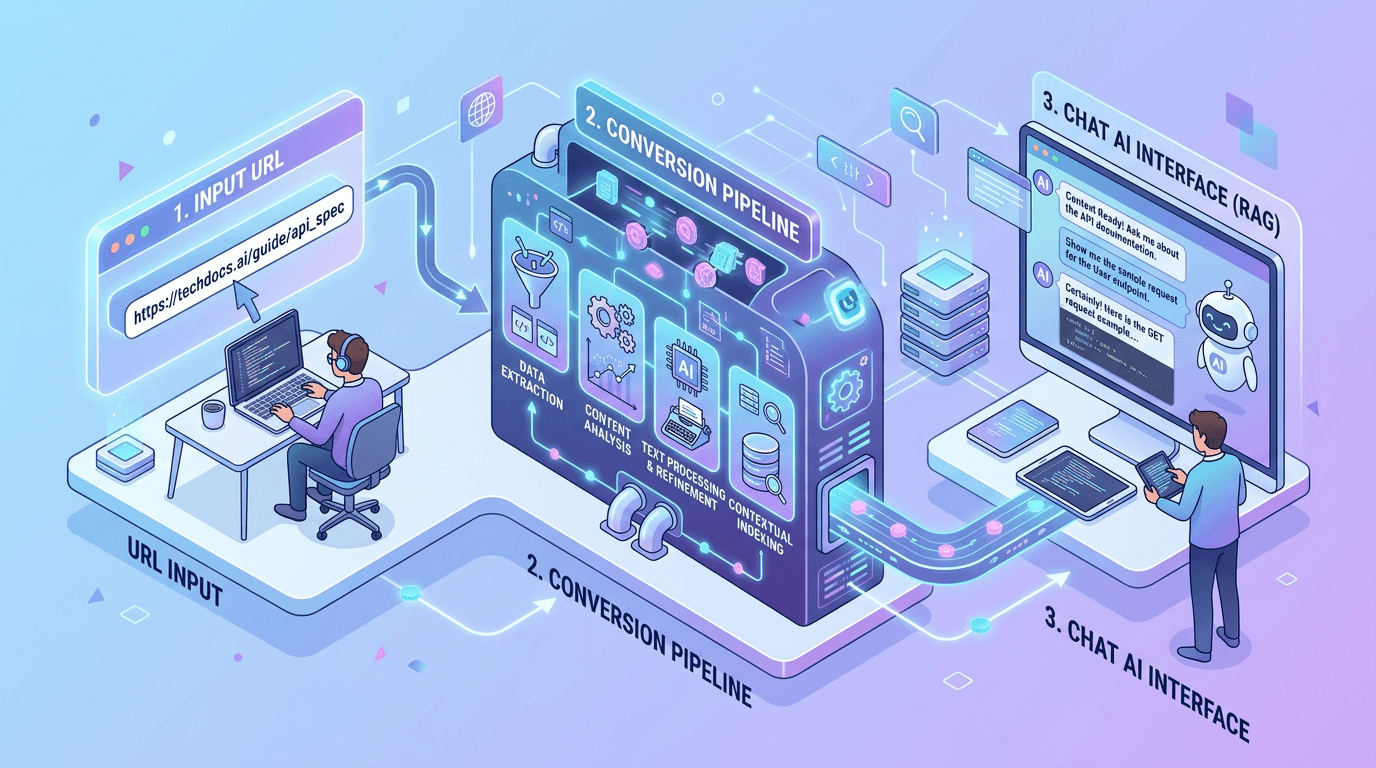
For developers who need to feed webpages to ChatGPT programmatically — say, in a research tool or content pipeline.
The stack:
- Fetch the URL and convert to Markdown (using a scraping API or library like Readability)
- Clean the output: strip nav, ads, and boilerplate
- Send the cleaned Markdown to the ChatGPT API as the user message
import requests
import openai

# Step 1: Convert URL to Markdown
response = requests.get("https://urltoany.com/api/function/to-markdown",
    params={"url": "https://example.com/article"})
markdown_content = response.json()["content"]

# Step 2: Send to ChatGPT
chat = openai.ChatCompletion.create(
    model="gpt-4",
    messages=[{
        "role": "user",
        "content": f"Summarize this article:\n\n{markdown_content}"
    }]
)
print(chat.choices[0].message.content)
This approach scales to hundreds of pages and gives you full control over what ChatGPT sees.
Pro Tips for Better Results
- Tell ChatGPT the format. Start your prompt with "The following is a Markdown document from [URL]:" so it knows what to expect.
- Chunk long articles. If the page exceeds ChatGPT's context window, split it by section headers and process each chunk separately.
- Keep the headings. Never strip H2/H3 tags from Markdown — they're the most useful structural signals for the model.
- Include the URL. Even though ChatGPT can't browse it, including the source URL helps it ground its responses.
- Ask specific questions. "What does the author argue in section 3?" beats "Tell me about this article."
FAQ
Q: Can ChatGPT read a URL directly if I just paste it?
No, the free version of ChatGPT cannot access URLs. It will only see the text of the URL itself (e.g., "https://example.com"), not the page content. You need to either use the browse feature (paid plans) or paste the page content manually.
Q: What's the best format to feed web content to ChatGPT?
Markdown. It preserves headings, lists, tables, and code blocks while staying lightweight. ChatGPT handles Markdown better than raw HTML or plain text because the structural markers (##, -, |) are clear and unambiguous.
Q: How much webpage content can ChatGPT handle at once?
GPT-4 Turbo supports up to 128K tokens (roughly 100,000 words). Most web articles fit easily. For very long pages, split them by section and process each part separately.
Q: Does ChatGPT lose accuracy with longer inputs?
Somewhat. Research shows that LLMs pay less attention to content in the middle of long inputs (the "lost in the middle" effect). Keeping your input focused and well-structured with clear headings helps mitigate this.
Q: Is there a way to automate feeding webpages to ChatGPT?
Yes. Use an API-based approach (Method 4): convert the URL to Markdown with a scraping service, then send the result to the ChatGPT API. This can be scheduled or triggered on demand.
Conclusion
The gap between "paste a URL" and "ChatGPT actually understands the page" comes down to formatting. Convert the webpage to Markdown first, and you'll get responses that reference specific sections, follow the logical structure, and catch details that raw copy-paste misses.
Start with Method 2 for one-off tasks. If you're building something that processes web content regularly, invest the time to set up Method 4.