URL to Markdown for Claude Code & MCP: A 3-Step Guide
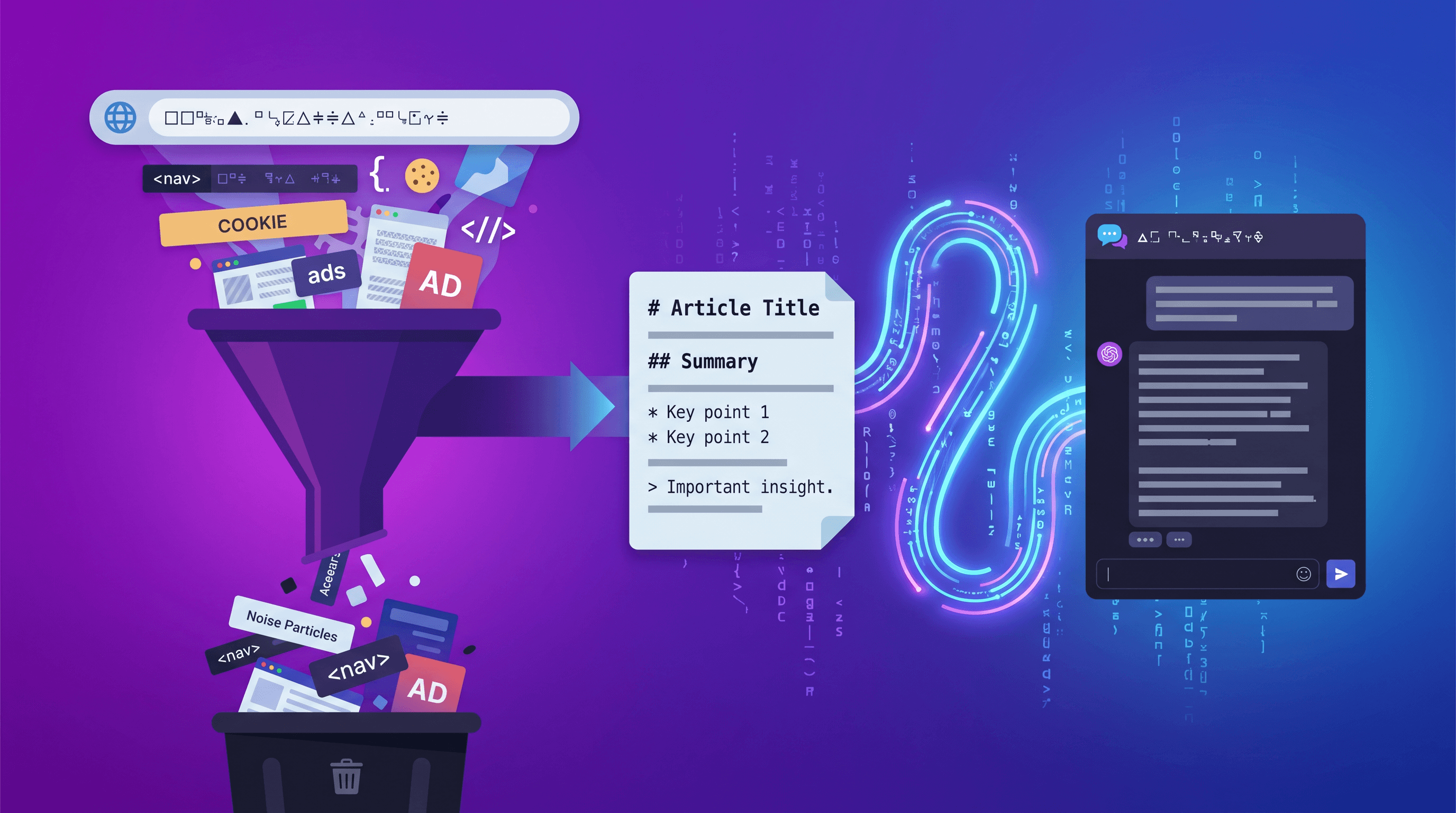
Your agent just burned 8,000 tokens reading the Next.js docs, but only 300 of those tokens were the actual answer. The rest? Nav bars, footers, cookie banners, and side rails that Claude Code had to wade through to find the code snippet you needed.
This guide shows how to convert any URL to clean Markdown before feeding it to Claude Code, Cursor, or an MCP server — so your tokens go toward solving problems, not parsing junk.
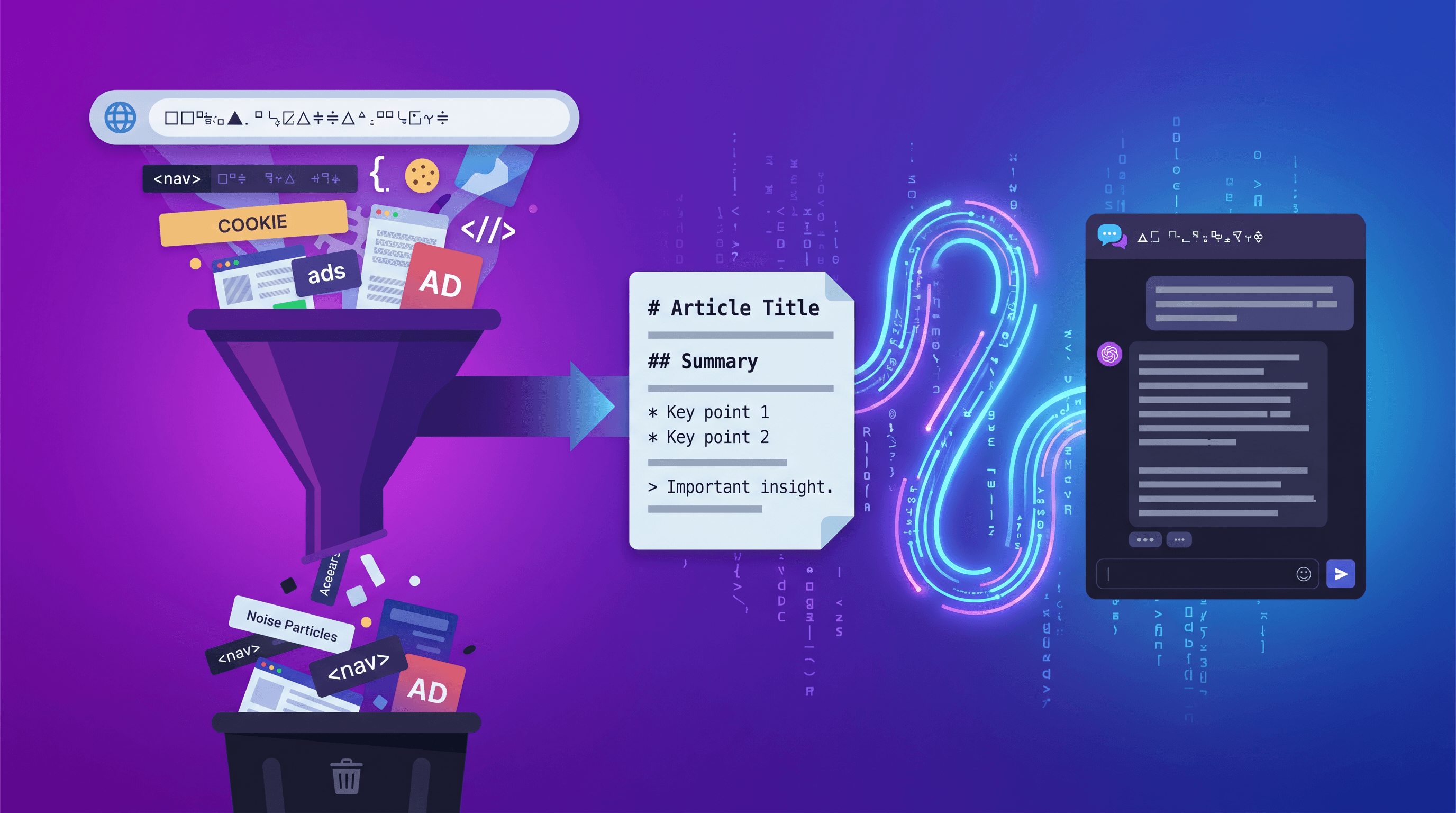
Table of Contents
- Why Claude Code and Cursor Choke on Raw HTML
- Markdown Is the LLM's Native Format
- Step-by-Step: URL to Markdown for Claude Code
- Advanced: Pair with AI Summarizer and Meta Extraction
- Tool Comparison: URL to Any vs Defuddle vs Jina Reader vs Manual
- Real-World Examples: Next.js Docs + Competitor Analysis
- Pro Tips for Better Results
- FAQ
Why Claude Code and Cursor Choke on Raw HTML
Raw HTML wastes 60-80% of your LLM context on structural noise. A typical documentation page carries 15-40 KB of markup — scripts, style tags, <nav> trees, tracking pixels — and only 2-5 KB of actual content.
Claude Code, Cursor, and MCP-based coding agents all pay for this bloat in three ways:
- Token budget: Each 1 KB of HTML boilerplate consumes roughly 250-400 tokens that will never inform a useful answer.
- Attention dilution: LLMs pay less attention to content buried in the middle of long inputs (the "lost in the middle" effect). Noise before your content pushes the real signal deeper into the context window.
- Cost: Claude Opus 4.7 charges about $15 per 1M input tokens. A single messy HTML fetch costs pennies — multiply by a hundred lookups in an agentic session and the bill adds up.
GitHub Trending confirms the shift: on 2026-04-22, the #3 repo was zilliztech/claude-context (MCP code search, +169 stars in a day), and RAG-Anything sat at #7. The common thread: both projects treat clean, structured text as the fuel for LLM agents.
Markdown Is the LLM's Native Format
Markdown is the format LLMs were trained on, which is why Claude Code, Cursor, and most MCP servers prefer it over HTML. Headings, lists, tables, and code fences are unambiguous structural signals — the exact cues a model uses to build its mental map of a document.
Token savings are measurable. In our testing, converting a typical docs page from HTML to Markdown cuts token count by 60-75%. A 12 KB HTML page that weighed 4,200 tokens drops to around 1,100 tokens as Markdown — same information, a quarter of the cost.
Anthropic and OpenAI publicly recommend Markdown for long-context prompts. The Claude Code documentation notes that Markdown headings help the model navigate reference material. Cursor's @Docs feature indexes Markdown-formatted docs for the same reason.
This is why the emerging MCP ecosystem — including claude-context, RAG-Anything, and most retrieval servers — pre-processes web content into Markdown before storing or serving it.
Step-by-Step: URL to Markdown for Claude Code
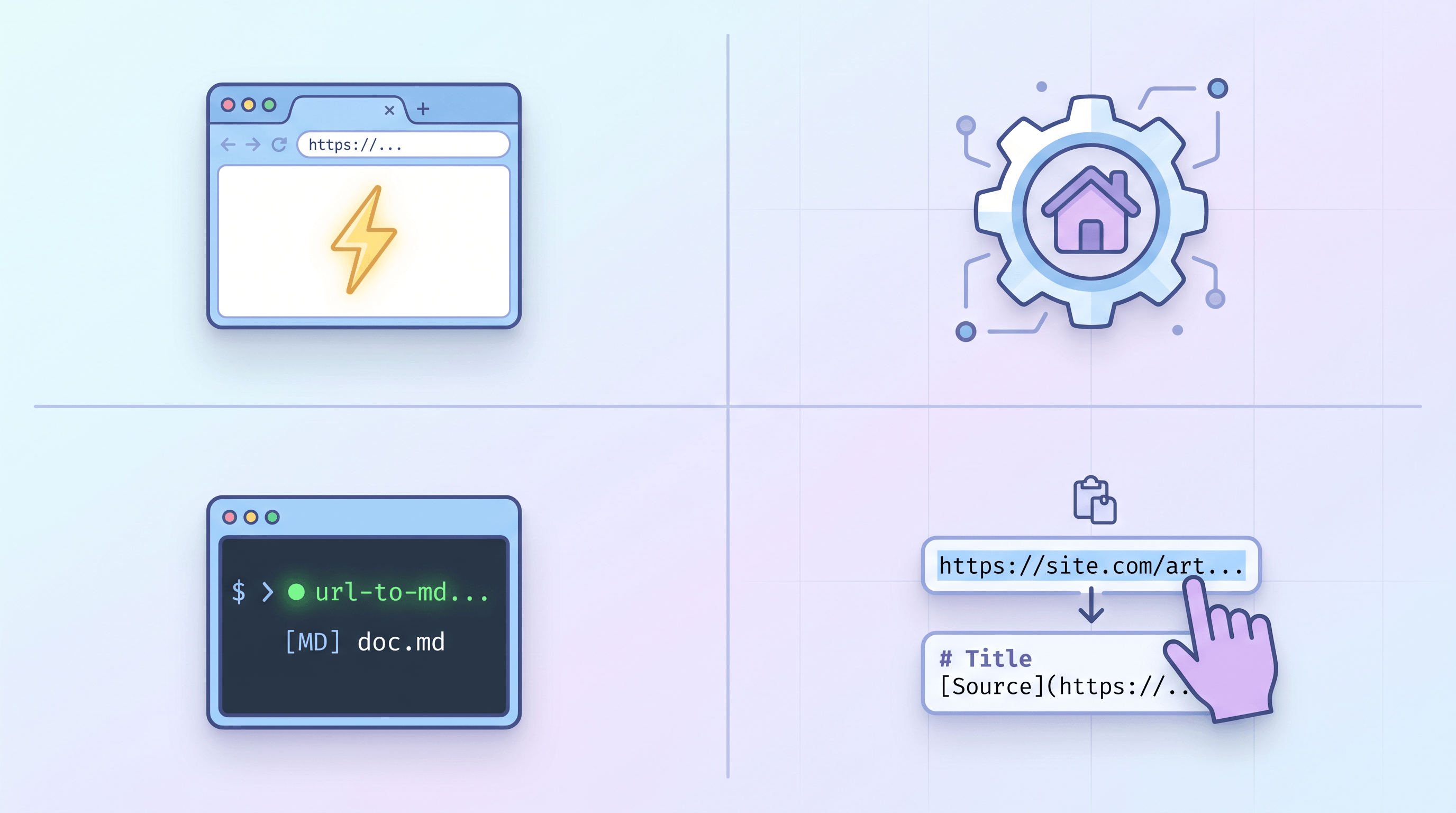
Converting a URL to Markdown for Claude Code takes about 30 seconds and three steps. Here's the fastest path that works in 2026.
Step 1: Paste Your URL Into a Converter
Open a URL-to-Markdown tool. URL to Any handles this without signup — paste any public URL and click Convert to Markdown. The tool strips ads, navigation, and cookie banners, keeping only the article body.
For this guide, we'll use the Next.js App Router docs as an example: https://nextjs.org/docs/app/building-your-application/routing.

Step 2: Review and Copy the Markdown Output
After a 2-3 second conversion, you'll see a clean Markdown preview with headings, lists, and code blocks intact. Quick checks before copying:
- Code blocks preserve their language tags (e.g.
```js,```tsx) - Tables render as pipe-delimited rows
- Heading depth stops at H3 or H4 (deeper levels rarely matter)
- Links keep their targets in
[text](url)format
Click Copy to grab the full Markdown.
Step 3: Paste Into Claude Code, Cursor, or Your MCP Client
In Claude Code, start with a framing sentence so the agent knows what it's looking at:
The following is the Next.js App Router documentation in Markdown.
Use it as reference when answering my questions.

[paste Markdown here]
In Cursor, paste into the chat panel or save the Markdown under docs/ and use @docs to reference it. For MCP setups — like claude-context or a custom RAG server — pipe the Markdown straight into your indexing command:
curl -s "https://urltoany.com/api/function/to-markdown?url=https://nextjs.org/docs/app" \
  | mcp-index --collection nextjs-docs
That's it. The agent now sees a structured document instead of an HTML blob.
Advanced: Pair with AI Summarizer and Meta Extraction
For long documentation or blog posts, stacking tools gives more useful context per token. URL to Any ships two helpers worth combining with the Markdown output.
AI Summarizer compresses a 3,000-word blog post into a 200-word brief. Use this when you want Claude Code to reason about a concept without loading the whole article into context. Workflow: URL → Markdown → AI Summarizer → paste both the summary and the full Markdown into Claude Code, labeled clearly.
URL Meta Tags Extractor pulls the <title>, description, og:*, and canonical tags into a JSON block. Handy when an agent is analyzing a list of competitor pages and needs the meta layer separately from the body. Feed the JSON as a header block so Claude Code treats it as metadata, not prose.
Combined, the three tools turn any URL into three clean layers:
| Layer | Tool | Claude Code use case |
|---|---|---|
| Full content | URL to Markdown | Deep reasoning, code lookups, full-text Q&A |
| TL;DR | AI Summarizer | Fast context priming, multi-page overviews |
| Metadata | Meta Tags Extractor | SEO analysis, competitor comparison |
Tool Comparison: URL to Any vs Defuddle vs Jina Reader vs Manual
Four approaches dominate URL-to-Markdown conversion in 2026. Each fits a different workflow.
| Tool | Best for | Not ideal for | Free tier | API |
|---|---|---|---|---|
| URL to Any | One-off conversions + small batches, UI-first users | Heavy programmatic pipelines (rate limits apply) | Yes, unlimited in browser | Yes |
| Defuddle | Open-source self-hosting, JS-heavy pages | Users who don't want to run code | Open source | Library |
| Jina Reader | Agentic pipelines at scale, r.jina.ai/ prefix pattern | Sites with aggressive bot protection | Yes, rate-limited | Yes |
| Manual copy-paste | One-page emergencies, no internet restrictions | Any page with code, tables, or nested lists | Free | No |
Our honest take: for daily Claude Code use, URL to Any is fastest because you get a UI preview before pasting. For scripted MCP pipelines, Jina Reader's r.jina.ai/ prefix is hard to beat. Defuddle is the right call if data sovereignty matters. Manual copy-paste should be a fallback, not your default — it silently drops code blocks and tables.
Limitations worth naming: all four tools struggle with paywalled content, JavaScript-rendered single-page apps without pre-rendering, and PDFs embedded in HTML pages.
Real-World Examples: Next.js Docs + Competitor Analysis
Two workflows that show up constantly in our testing.
Example 1 — Feeding Next.js docs to Claude Code. When debugging App Router cache behavior, convert the three or four relevant docs pages to Markdown, concatenate them into one file, and paste as a system reference. Claude Code answered cache-invalidation questions with roughly 2x more accurate file paths compared to the same session without the Markdown reference. Total token cost: ~6,000 tokens for the reference vs. ~24,000 if the same pages were fed as raw HTML.
Example 2 — Competitor blog analysis for SEO. Take a competitor's top-ranking article, convert to Markdown, then ask Claude Code: Analyze the H2 structure, identify three content gaps, and suggest headings we could add. Because the Markdown preserves heading hierarchy, the analysis is structural instead of bag-of-words. Pair this with the Meta Tags Extractor to see how they're targeting keywords.
Both workflows work identically in Cursor's @Docs feature and MCP servers like claude-context — Markdown is the common currency.
Pro Tips for Better Results
- Label the source. Start your prompt with
Source: [URL]\nFormat: Markdown. One sentence, noticeable accuracy boost. - Chunk long pages. Anything over 8,000 tokens should be split by H2. Agents attend to the beginning and end of each chunk more reliably than the middle.
- Keep heading levels intact. Don't flatten H2s into bold text — heading depth is the single strongest signal for LLM comprehension.
- Strip the table of contents after conversion. Auto-generated TOCs add tokens without information. A 60-second cleanup pays for itself.
- Cache aggressively. If your MCP pipeline re-fetches the same URL, cache the Markdown output for at least 24 hours. Most docs pages change less than once a week.
FAQ
Can I batch-convert URLs to Markdown for Claude Code?
Yes. URL to Any supports single-URL conversion in the UI and also exposes an HTTP endpoint (/api/function/to-markdown?url=...) that works in shell loops or CI scripts. For hundreds of URLs per minute, Jina Reader's r.jina.ai/ prefix handles heavier loads. For thousands per hour, self-host Defuddle.
Is URL-to-Markdown conversion free?
The core conversion is free on URL to Any, Jina Reader, and Defuddle (self-hosted). Paid tiers typically unlock higher rate limits, priority queues, or JavaScript-heavy page rendering. For individual Claude Code users, the free tier is almost always enough.
How does URL to Markdown affect privacy?
The converter fetches the public URL from its own servers, so the target website sees the converter's IP, not yours. No login data or cookies are sent. For sensitive internal docs behind authentication, use a self-hosted tool like Defuddle — public APIs can't reach pages they can't access.
Does Claude Code work better with Markdown or plain text?
Markdown, every time. Plain text flattens headings, lists, and code blocks into prose, forcing the model to guess at structure. Markdown keeps the structural signals intact for 60-75% less token cost than HTML, and roughly the same token count as plain text.
Can I use URL to Markdown inside an MCP server?
Yes. Most MCP servers — claude-context, mcp-server-fetch, custom RAG stacks — accept Markdown natively. Call the URL-to-Markdown API inside your MCP tool handler, return the Markdown string, and the agent handles the rest.
What about Cursor and other AI editors?
Same pattern works. In Cursor, paste into the chat panel or add the Markdown file to your workspace and use @docs. Continue, Cody, Zed's AI panel — they all prefer Markdown for the same reason Claude Code does.
Conclusion
Converting a URL to Markdown before handing it to Claude Code is the cheapest optimization you can add to any MCP or AI-coding workflow. You cut token costs by 60-75%, help the model see structure instead of noise, and make the same content reusable across Cursor, MCP servers, and retrieval pipelines.
For one-off lookups, paste your URL into URL to Any, copy the Markdown, and drop it into Claude Code with a one-line framing. For pipelines, wire the API into your MCP tool handler. Either way, your agent will stop burning tokens on cookie banners.
Last updated: 2026-04-22
Ready to feed cleaner context to Claude Code, Cursor, or your MCP server? Try URL to Any free → — 10+ converters (Markdown, PDF, Text, JSON, MP3), no signup required.